
The 7 best payroll software for small businesses are Gusto, QuickBooks Payroll, Paychex, Justworks, Patriot Software, ADP, and Wave. These solutions offer user-friendly interfaces and robust features.
Small businesses need efficient payroll software to manage employee payments and compliance. Choosing the right payroll software can save time, reduce errors, and ensure accurate tax filings. Gusto and QuickBooks Payroll stand out for their comprehensive features and ease of use.
Paychex offers scalable solutions suitable for growing businesses. OnPay and Patriot Software are budget-friendly options without compromising essential features. ADP provides powerful tools for larger small businesses, while Wave is ideal for startups needing basic payroll functionalities. By selecting the appropriate software, small businesses can streamline payroll processes, enhance productivity, and focus on growth.
What Is Payroll Software?
Payroll software is a tool that helps small businesses manage employee payments. It makes paying workers easy, fast, and accurate. Think of it as a helper that does all the math for you. No more spreadsheets or late-night calculations!
Why Do Small Business Need Payroll Software?
Small business owners often wear many hats. They handle sales, marketing, customer service, and more. Managing payroll manually can take up too much time. Here’s why payroll software is important:
- Saves Time: Payroll software automates tasks like calculating wages, taxes, and deductions. According to a study by Gusto, businesses save up to 10 hours per month using payroll tools.
- Reduces Mistakes: Manual payroll can lead to errors. For example, forgetting overtime pay or miscalculating taxes can cause problems. A report from APA (American Payroll Association) says 40% of small businesses make payroll errors every year. Software fixes this issue.
- Keeps Things Legal: Payroll laws change often. Missing deadlines or not following rules can result in fines. Good payroll software keeps your business compliant with tax laws.
- Pays Employees Faster: Many payroll systems offer direct deposit. This means employees get paid quickly without waiting for checks. QuickBooks, for example, offers same-day deposits—a feature loved by over 70% of its users.
How Does Payroll Software Work?
Payroll software is like a smart assistant that helps you pay your employees correctly and on time. It does all the hard work for you, step by step. Let’s break it down in simple terms so you can understand how it works.
Step 1: Add Employee Information
First, you need to tell the software about your employees. This includes:
- Their names and contact details.
- How much they earn (hourly wage or salary).
- Bank account numbers for direct deposit.
- Tax information (like Social Security numbers).
Once this info is entered, the software remembers it. You don’t have to re-enter it every time you run payroll.
Why is this important?
Without accurate employee data, payments could go wrong. For example, sending money to the wrong bank account can cause big headaches. Payroll software keeps everything organized.
Step 2: Track Hours Worked
If your employees clock in and out, the software can track their hours. Some payroll tools connect to time-tracking apps. This means you don’t have to manually count hours worked.
What happens if someone works overtime?
The software knows! It automatically calculates extra overtime pay based on labor laws. For instance, in the U.S., overtime is often 1.5 times the regular hourly rate. The software handles this math for you.
Step 3: Calculate Wages and Deductions
This is where the magic happens. The software adds up what each employee earns and subtracts deductions like:
- Federal and state taxes.
- Health insurance premiums.
- Retirement savings (like 401(k) contributions).
It also accounts for bonuses or reimbursements if needed.
How does it know the right tax rates?
Payroll software uses updated tax tables. These tables tell the system how much tax to deduct based on an employee’s income and location. According to IRS guidelines, businesses must follow these rules to avoid penalties.
Step 4: Send Payments
After calculating wages, the software sends payments to employees. Most payroll systems use direct deposit, which means money goes straight into their bank accounts. No paper checks, no trips to the bank.
Is direct deposit safe?
Yes! Direct deposit is secure and fast. A survey by NACHA found that 82% of workers prefer direct deposit because it’s reliable.
Step 5: File Taxes Automatically
One of the biggest perks of payroll software is automatic tax filing. The system sends the right amount of tax money to the government. It even creates reports to prove you’ve paid on time.
Why is this helpful?
Filing taxes manually can be confusing. Many small business owners miss deadlines or make mistakes. Payroll software ensures compliance with laws, reducing the risk of fines.
Step 6: Generate Reports
Payroll software doesn’t just pay employees also tracks spending. It creates reports showing:
- Total wages paid.
- Taxes deducted.
- Benefits costs.
These reports help you understand your business finances better.
Why are reports useful?
Reports give you insights into cash flow. For example, you might notice that overtime costs are too high. With this info, you can adjust schedules to save money.
Types of Payroll Software
When it comes to managing payroll for your small business, there are different types of payroll software available. Each type has its strengths and weaknesses. Let’s explore the most common options so you can decide which one works best for your business.
1. Cloud-Based Payroll Software
Cloud-based payroll software is stored online (in the “cloud”). You can access it from any device with an internet connection. This makes it very flexible and convenient.
- How It Works :
You log in through a website or app to manage payroll. All data is saved securely online, so you don’t need to worry about losing files if your computer crashes. - Best For :
Small businesses that want easy access and automatic updates. It’s also great for remote teams or businesses with employees in multiple locations. - Examples :
Gusto, Square Payroll, ADP, and QuickBooks Payroll. - Pros :
- Accessible from anywhere.
- Automatically updates tax laws and features.
- Often includes mobile apps for on-the-go management.
- Cons :
- Requires a stable internet connection.
- Some plans can be expensive for very small teams.
2. Desktop Payroll Software
Desktop payroll software is installed directly on your computer. It doesn’t rely on the internet, so you can use it offline.
- How It Works :
You download and install the program on your PC or Mac. All payroll data stays on your computer unless you back it up manually. - Best For :
Businesses that prefer full control over their data and don’t need remote access. It’s also a good choice for companies in areas with poor internet. - Examples :
QuickBooks Desktop Payroll, Sage 50cloud Payroll. - Pros :
- No need for internet access.
- Full control over your data.
- One-time purchase option (no monthly fees).
- Cons :
- Harder to share data with others.
- Manual updates are required (you must download new versions).
- Risk of losing data if your computer crashes.
3. Free Payroll Software
If you’re on a tight budget, free payroll software might sound appealing. These tools offer basic features at no cost.
- How It Works :
Free payroll software lets you handle basic tasks like calculating wages and filing taxes. However, advanced features often require a paid upgrade. - Best For :
Startups, freelancers, or very small businesses with fewer than 5 employees. - Examples :
Wave Payroll, Payroll4Free, and Zoho Payroll (free tier). - Pros :
- Zero upfront cost.
- Simple interface for beginners.
- Good for testing payroll systems before committing to paid plans.
- Cons :
- Limited features compared to paid options.
- May charge extra for add-ons like direct deposit or tax filing.
- Less customer support.
4. All-in-One HR and Payroll Software
This type combines payroll with human resources (HR) features. It’s designed to handle both employee payments and HR tasks like hiring, time tracking, and benefits management.
- How It Works :
These systems integrate payroll with other HR functions. For example, when you hire a new employee, the system automatically sets them up for payroll. - Best For :
Growing businesses that need more than just payroll. If you’re managing employee records, benefits, and performance reviews, this is a good fit. - Examples :
BambooHR, Rippling, Zenefits. - Pros :
- Saves time by combining payroll and HR tasks.
- Better organization for growing teams.
- Streamlines communication between departments.
- Cons :
- Can be expensive.
- May include features you don’t need yet.
5. Custom-Built Payroll Software
For larger or unique businesses, custom-built payroll software is tailored specifically to your needs. A developer creates a solution just for you.
- How It Works :
You work with a tech company to design software that fits your exact requirements. This could include industry-specific rules, multi-country payroll, or complex reporting. - Best For :
Large businesses or industries with special payroll needs (like healthcare or construction). - Pros :
- Fully customized to your business.
- Handles complex or unusual payroll scenarios.
- Scalable as your business grows.
- Cons :
- Very expensive to build and maintain.
- Takes time to develop.
- Requires technical expertise to manage.
7 Best Payroll Software for Small Business
Choosing the right payroll software can save time, reduce errors, and keep your small business compliant with tax laws. Here are 7 of the best payroll software options for small businesses, along with their key features, pros, and cons
Gusto
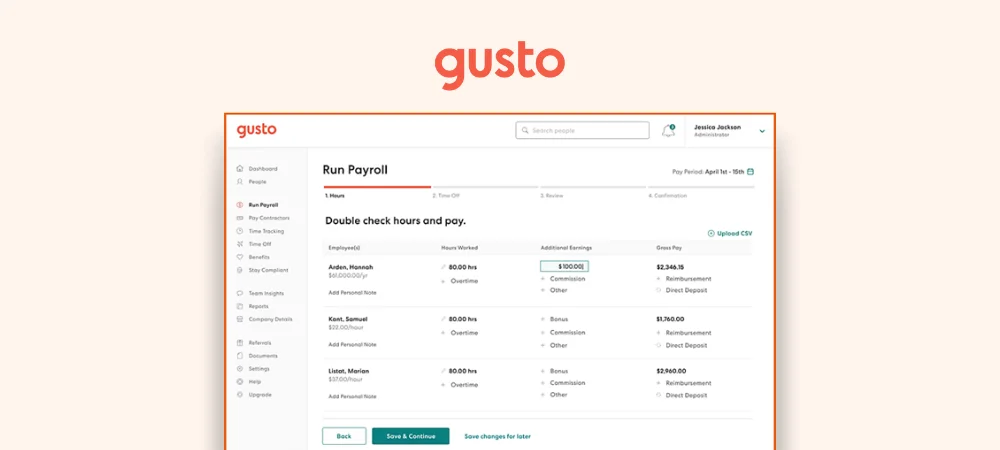
Gusto is a popular payroll software designed to meet the needs of small businesses. It automates many aspects of payroll management, making it a reliable choice. Gusto handles employee payments, tax filings, and benefits administration. The interface is user-friendly, which is great for non-experts.
With Gusto, you can onboard new employees, manage time-off requests, and generate detailed reports. The software integrates with various accounting tools, making it versatile. Below are some highlights:
- Automated payroll processing
- Tax filing and compliance
- Benefits management
- User-friendly interface
- Integrations with accounting tools
Key Features Of Gusto
Gusto offers a variety of features that make it a top choice for small businesses. One key feature is automated payroll processing. This ensures timely and accurate payments to employees. Gusto also handles tax filings and compliance, reducing the risk of errors and penalties.
The benefits management feature is another highlight. It allows businesses to manage health insurance, retirement plans, and other benefits easily. Gusto provides employee self-service options, enabling employees to access their pay stubs, tax documents, and benefits information online.
Gusto also offers time tracking and paid time off (PTO) management. Employees can request time off, and managers can approve or deny these requests through the platform. The software integrates with popular accounting tools like QuickBooks and Xero, making it easy to sync financial data.
Pros and Cons of Gusto
Gusto has many advantages, but it also has some drawbacks. Below is a summary:
| Pros | Cons |
|---|---|
| User-friendly interface Automated payroll processing Comprehensive benefits management Excellent customer support Integration with accounting tools | Higher cost for premium features Limited international payroll capabilities Occasional software glitches |
Pricing Of Gusto
Gusto offers several pricing plans to suit different business needs. The Core plan starts at $40 per month, plus $6 per employee. This plan covers basic payroll and benefits administration. The Complete plan costs $80 per month, plus $12 per employee. It includes additional features like time tracking and employee surveys.
The Concierge plan is the most comprehensive. It costs $180 per month, plus $22 per employee. This plan offers dedicated support and HR resource tools. Gusto also provides a Contractor plan for businesses that only employ contractors. This plan is $6 per contractor per month, with no base fee.
Below is a summary of Gusto’s pricing plans:
| Plan | Base Price | Price per Employee |
|---|---|---|
| Simple | $40/month | $6/month |
| Plus | $80/month | $12/month |
| Premium | $180/month | $22/month |
| Contractor | – | $6/month |
Quickbooks Payroll
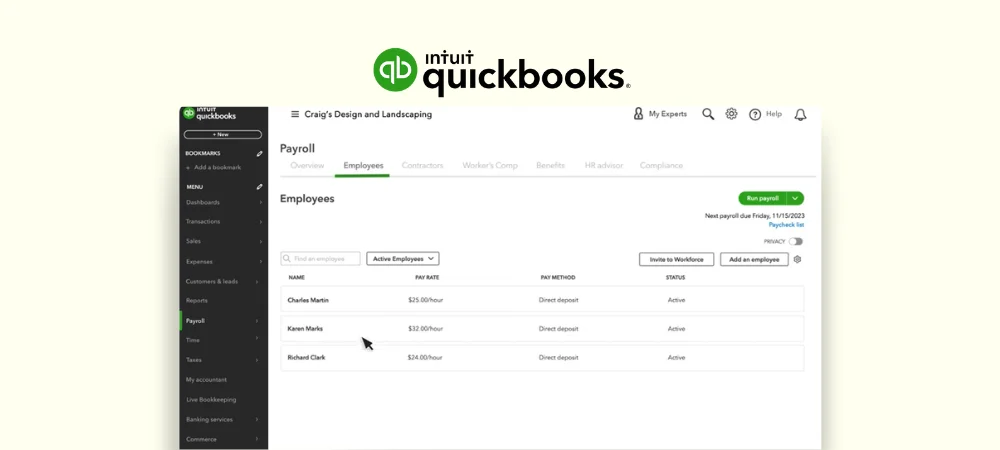
QuickBooks Payroll is a popular choice among small businesses. It offers a user-friendly interface and seamless integration with QuickBooks Online. This software automates payroll tasks, ensuring accuracy and saving time. Business owners can manage payroll with ease, even without prior experience. QuickBooks Payroll handles tax calculations, deductions, and filings.
Key aspects include:
- Automatic payroll runs
- Tax penalty protection
- Direct deposit for employees
- Employee benefits management
QuickBooks Payroll also provides detailed reporting. This helps businesses stay on top of their payroll expenses. The software ensures compliance with federal and state regulations. This reduces the risk of costly penalties. Overall, QuickBooks Payroll is a comprehensive solution for small businesses.
Key Features of Quickbooks Payroll
QuickBooks Payroll is packed with features designed to simplify payroll management. Some of the key features include:
- Automatic Payroll: Set up payroll to run automatically, saving time and effort.
- Tax Calculations: Accurately calculates federal, state, and local taxes.
- Tax Filing: Handles all tax filings and payments, ensuring compliance.
- Direct Deposit: Provides direct deposit options for employees, ensuring timely payments.
- Employee Self-Service: Employees can access their pay stubs and tax forms online.
- Benefits Management: Manage employee benefits such as health insurance and retirement plans.
- Reporting: Generate detailed payroll reports for better financial insights.
These features make QuickBooks Payroll a powerful tool for small businesses. It simplifies payroll processing and ensures accuracy.
Pros and Cons of Quickbooks Payroll
QuickBooks Payroll has several advantages and some drawbacks. Here are the pros and cons:
| Pros | Cons |
|---|---|
| Ease of Use: Intuitive interface, easy to navigate. | Cost: Higher price compared to some competitors. |
| Integration: Seamlessly integrates with QuickBooks Online. | Customer Support: Limited support hours can be a drawback. |
| Automation: Automates payroll tasks, saves time. | Learning Curve: Can be steep for first-time users. |
| Compliance: Ensures compliance with tax laws. | Feature Limitations: Some features may be limited in lower-tier plans. |
Understanding these pros and cons can help businesses decide if QuickBooks Payroll is the right fit.
Pricing of Quickbooks Payroll
QuickBooks Payroll offers multiple pricing plans to suit different business needs. Here’s a breakdown:
| Plan | Monthly Cost | Features |
|---|---|---|
| Core | $85 + $6/employee | Basic payroll, tax calculations, direct deposit |
| Premium | $115+ $6/employee | Core features + tax filings, time tracking, HR support |
| Elite | $184 + $9/employee | Premium features + tax penalty protection, personalized support |
Each plan offers a 30-day free trial, allowing businesses to test the features. Businesses can choose the plan that best fits their needs and budget. QuickBooks Payroll pricing is transparent and flexible, accommodating various business sizes.
Patriot Payroll
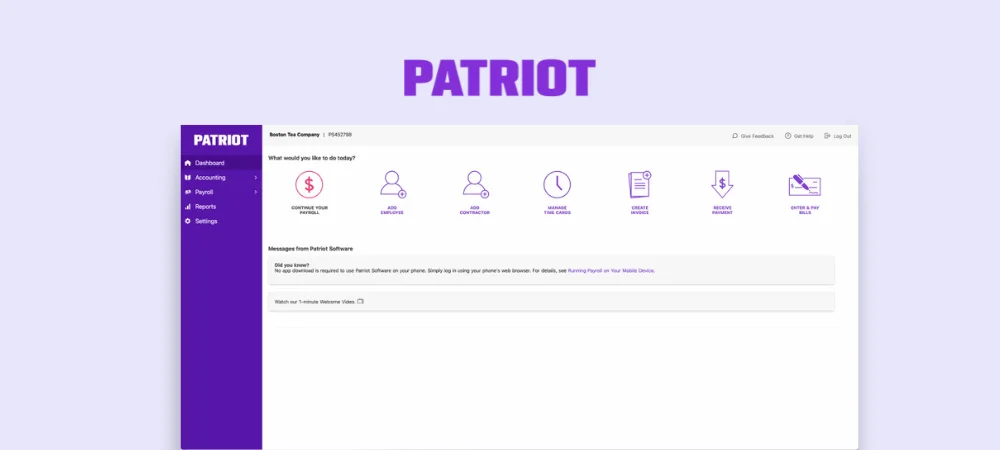
Patriot Payroll is designed with small businesses in mind. It’s known for its user-friendly interface and affordable pricing. The software simplifies the payroll process, making it easy for business owners.
Here are some key points about Patriot Payroll:
- User-friendly interface: Easy to navigate, even for beginners.
- Affordable pricing: Offers competitive rates suitable for small businesses.
- Comprehensive features: Includes all necessary payroll functions.
- Customer support: Provides excellent customer service.
Patriot Payroll covers everything from tax calculations to direct deposits. It ensures compliance with federal and state laws. This makes it a reliable choice for small business owners.
Key Features of Patriot Payroll
Patriot Payroll offers a range of features that cater to small businesses. These features simplify payroll management and ensure accuracy.
Some of the key features include:
- Automated Tax Calculations: Automatically calculates federal, state, and local taxes.
- Direct Deposit: Allows employees to receive their pay directly in their bank accounts.
- Time and Attendance Tracking: Keeps track of employee hours with ease.
- Employee Portal: Employees can access their pay stubs and tax forms online.
- Customizable Reports: Generate reports to analyze payroll data.
These features help small business owners save time and reduce errors in payroll processing. Patriot Payroll ensures that all payroll tasks are handled efficiently.
Pros and Cons of Patriot Payroll
Patriot Payroll has several advantages, but it also comes with some drawbacks.
Here are the pros:
- Affordable Pricing: Cost-effective for small businesses.
- User-Friendly Interface: Easy to use, even for those with no payroll experience.
- Excellent Customer Support: Provides reliable and helpful support.
- Comprehensive Features: Includes all necessary payroll functions.
Here are the cons:
- Limited Integrations: May not integrate with some other business software.
- Basic Time Tracking: Lacks advanced time-tracking features.
- No Mobile App: Payroll processing is limited to desktop use.
Understanding these pros and cons can help you decide if Patriot Payroll is the right fit for your business.
Pricing of Patriot Payroll
Patriot Payroll offers affordable pricing plans suitable for small businesses. They provide two main pricing options:
| Plan | Monthly Cost | Features |
|---|---|---|
| Basic Payroll | $17 + $2/employee | Includes payroll processing, direct deposit, and basic tax calculations. |
| Full Service Payroll | $37 + $2.5/employee | Includes all Basic Payroll features plus full tax filing and payment services. |
These pricing plans are designed to be budget-friendly. They offer flexibility to choose the level of service that fits your needs. Patriot Payroll provides cost-effective solutions for small businesses.
Wave Payroll
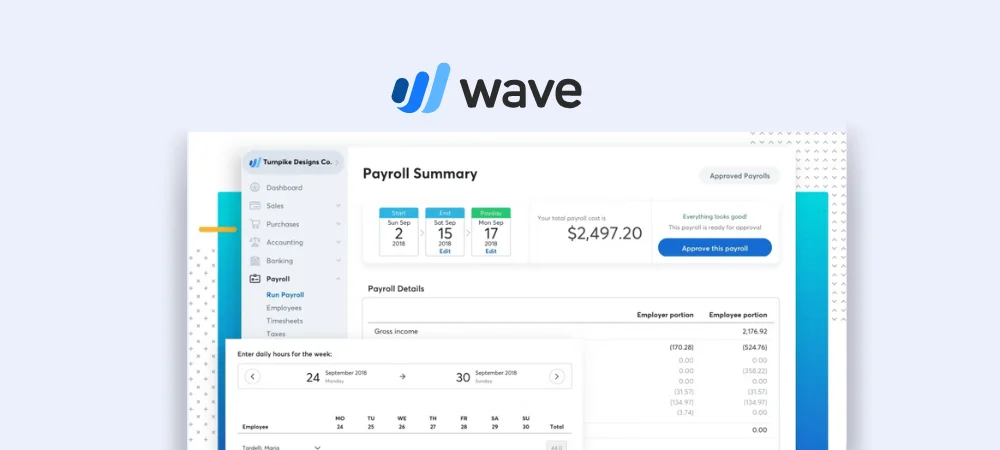
Wave Payroll is designed with small businesses, startups, and freelancers in mind. It’s known for its affordability and simplicity, making it an excellent choice for business owners who need a straightforward payroll solution. As part of Wave’s suite of free financial tools, Wave Payroll stands out as one of the most cost-effective options on the market.
Here are some key points about Wave Payroll:
- User-friendly interface: Simple and intuitive, making it easy to navigate, even for beginners.
- Affordable pricing: Completely free for U.S.-based businesses (you only pay taxes owed), making it a budget-friendly option for small businesses.
- Comprehensive features: Includes all essential payroll functions like automated tax calculations, direct deposit, and customizable reports.
- Customer support: Offers reliable assistance through email, a help center, and community forums to address user needs.
Comprehensive Features of Wave Payroll
Despite being free, Wave Payroll doesn’t skimp on features. It includes all the essential tools you need to manage payroll efficiently and accurately.
Some of the key features include:
- Automated Tax Calculations:
Wave automatically calculates federal, state, and local taxes, ensuring compliance with tax laws. It also files and pays your payroll taxes directly to the government. - Direct Deposit:
Employees can receive their paychecks directly in their bank accounts. While the free version doesn’t include direct deposit, it’s available as an add-on for a small fee. - Employee Self-Service Portal:
Employees can access their pay stubs and tax forms online, reducing the need for manual requests. - Customizable Reports:
Generate detailed reports to analyze payroll expenses, tax liabilities, and other financial data. - Unlimited Payrolls:
Run payroll as often as you need without worrying about additional fees.
These features help small business owners streamline payroll tasks, reduce errors, and stay compliant with tax regulations.
Pros and Cons of Wave Payroll
Before choosing Wave Payroll, it’s important to weigh its advantages and disadvantages to determine if it’s the right fit for your business.
Pros
- Affordable Pricing: Completely free for U.S. businesses (you only pay taxes owed).
- User-Friendly Interface: Easy to use, even for beginners.
- Comprehensive Features: Includes essential payroll functions like tax calculations and reporting.
- Free Setup Assistance: Wave helps you get started with no additional costs.
- Integration with Wave Accounting: Seamlessly connects with Wave’s accounting tools for a unified financial management system.
Cons
- Limited Customer Support: Free users may experience slower response times.
- No Direct Deposit in Free Version: Requires a paid upgrade for this feature.
- Fewer Integrations: Lacks compatibility with third-party apps outside the Wave ecosystem.
- Basic HR Features: Not ideal for businesses needing advanced HR tools.
Pricing of Wave Payroll
Wave Payroll offers two pricing options, both of which are budget-friendly and designed to meet the needs of small businesses.
| Plan | Monthly Cost | Features |
|---|---|---|
| Free Payroll | $0/month | Payroll processing, automated tax calculations, and unlimited payrolls. |
| Premium Payroll | $16/month | Includes all Free Payroll features plus same-day direct deposit. |
These pricing plans make Wave Payroll accessible to businesses of all sizes. The free version is perfect for startups and freelancers, while the premium plan adds convenience with direct deposit.
Justworks
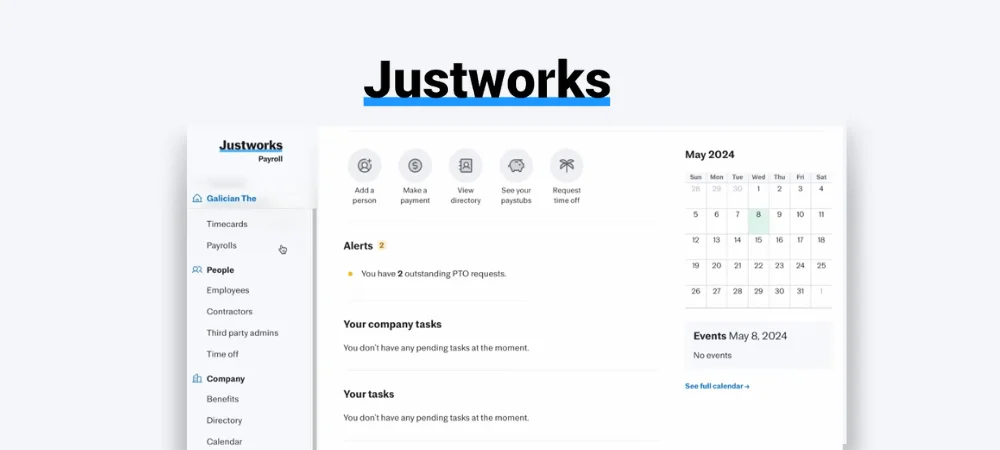
Justworks is more than just payroll software’s a complete HR and payroll solution. It’s built to help small businesses manage employee payments, taxes, benefits, and compliance with ease. Whether you’re hiring your first employee or managing a growing team, Justworks streamlines administrative tasks so you can focus on running your business.
Here are some standout features of Justworks:
- All-in-One Platform: Combines payroll, HR, benefits, and compliance in a single system.
- Affordable Pricing: Transparent pricing that scales with your business.
- Compliance Support: Helps businesses stay compliant with federal, state, and local labor laws.
- Employee Benefits: Offers access to health insurance, retirement plans, and other perks typically available only to larger companies.
Key Features of Justworks
Justworks offers a range of features that cater to small businesses, making it a versatile tool for managing your workforce.
- Time and Attendance Tracking : Tracks employee hours and integrates seamlessly with payroll processing.
- Automated Tax Calculations : Automatically calculates and files federal, state, and local payroll taxes, reducing the risk of errors or penalties.
- Direct Deposit : Employees receive their paychecks directly in their bank accounts, ensuring fast and secure payments.
- Benefits Administration : Provides access to group health insurance, 401(k) plans, commuter benefits, and more—features typically reserved for larger companies.
- Compliance Tools : Helps businesses comply with labor laws, including workers’ compensation, paid family leave, and anti-discrimination policies.
- Employee Self-Service Portal : Employees can view pay stubs, update personal information, and manage benefits online.
Pros and Cons of Justworks
Before choosing Justworks, it’s important to weigh its advantages and disadvantages to determine if it’s the right fit for your business.
Pros:
- All-in-One Solution: Combines payroll, HR, benefits, and compliance in one platform.
- Transparent Pricing: Flat monthly fee per employee, with no hidden costs.
- Compliance Support: Ensures your business adheres to labor laws, reducing legal risks.
- Employee Benefits: Offers access to affordable health insurance and retirement plans.
- Excellent Customer Support: Provides reliable assistance via phone, email, and chat.
Cons:
- No Free Plan: Unlike some competitors, Justworks doesn’t offer a free tier.
- Limited Customization: May not suit businesses with highly complex payroll needs.
- Higher Cost for Very Small Teams: Pricing may feel steep for startups with only a few employees.
Pricing of Justworks
Justworks uses a transparent pricing model based on the number of employees. While exact pricing isn’t publicly listed on their website, here’s a general breakdown:
| Plan | Monthly Cost | Features |
|---|---|---|
| Standard Plan | $89/month + $4/employee | Includes payroll, tax filing, benefits administration, and compliance tools. |
Justworks’ pricing is competitive for businesses that need both payroll and HR solutions. However, smaller teams may find it more expensive compared to standalone payroll tools like Wave or Gusto.
Adp Run
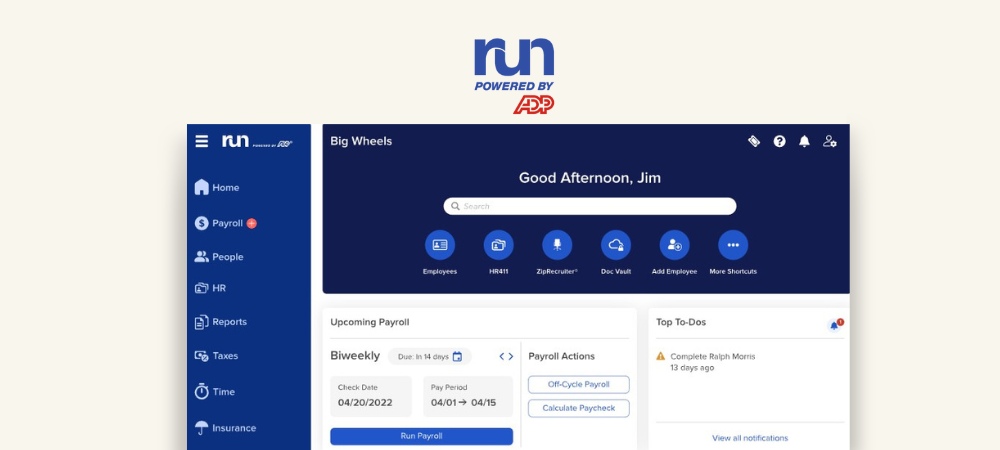
ADP Run is a popular payroll software designed for small businesses. It offers a wide range of services to help manage payroll efficiently. The software is known for its user-friendly interface and robust features. It simplifies the payroll process, ensuring accuracy and compliance.
ADP Run is cloud-based. This means you can access it from anywhere. It offers automated payroll processing, tax calculations, and direct deposit services. You can also manage employee benefits and retirement plans through the platform.
Here are some key points about ADP Run:
- Ease of Use: The software is designed for users with no payroll experience.
- Comprehensive Services: It covers payroll, taxes, and compliance.
- Cloud-Based: Access your payroll data from anywhere, anytime.
Key Features of Adp Run
ADP Run offers several features that make it a top choice for small businesses. These features help streamline payroll processes and ensure compliance with tax regulations. Here are some of the key features:
- Automated Payroll Processing: ADP Run automates the entire payroll process. This reduces the risk of errors and saves time.
- Tax Calculation and Filing: The software calculates taxes and files them on your behalf. This ensures compliance with federal, state, and local tax laws.
- Direct Deposit: Employees can receive their pay directly into their bank accounts. This makes the payment process quick and efficient.
- Employee Self-Service Portal: Employees can access their pay stubs, tax forms, and benefits information through a self-service portal.
- Reporting and Analytics: ADP Run provides detailed reports and analytics. This helps businesses make informed decisions.
Pros and Cons of Adp Run
Every software has its advantages and disadvantages. ADP Run is no exception. Here are some pros and cons of using ADP Run:
Pros:
- User-Friendly Interface: Easy to navigate, even for beginners.
- Comprehensive Features: Covers all aspects of payroll, tax, and compliance.
- Reliable Customer Support: Offers 24/7 customer support to assist users.
- Scalability: Suitable for businesses of all sizes, allowing for growth.
Cons:
- Cost: Can be expensive for very small businesses.
- Learning Curve: Some users may find it complex initially.
- Customization: Limited customization options compared to other software.
Pricing Of Adp Run
ADP Run offers different pricing plans to suit various business needs. The pricing is based on the number of employees and the features required. Here is a general overview of ADP Run’s pricing structure:
Basic Plan: Suitable for small businesses with a few employees. It includes basic payroll processing and tax calculations.
Enhanced Plan: This plan offers additional features like direct deposit, employee self-service, and reporting.
Complete Plan: Ideal for growing businesses. It includes all features of the Enhanced Plan plus benefits administration and HR support.
Customized Plan: For larger businesses with specific needs. Contact ADP for a customized pricing plan.
ADP Run also offers a free trial. This allows businesses to test the software before committing.
Paychex Flex
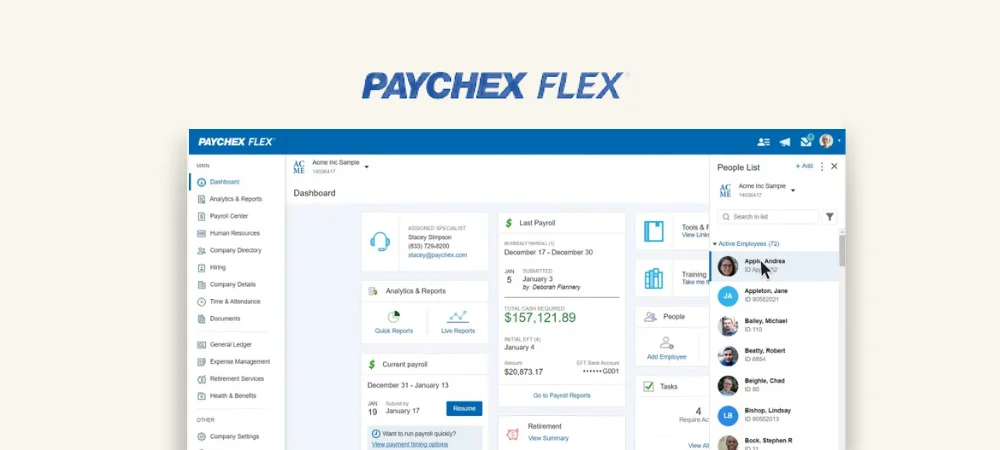
Paychex Flex is a cloud-based payroll software. It helps small businesses manage payroll efficiently. The platform is user-friendly and versatile. Business owners can access it from any device. It offers a range of services beyond just payroll. These include HR, benefits, and insurance services.
Here are some key points about Paychex Flex:
- User-friendly interface
- Cloud-based for easy access
- Comprehensive services beyond payroll
- Customizable to fit business needs
Overall, Paychex Flex is a robust solution. It is ideal for small businesses that need more than just payroll services.
Key Features of Paychex Flex
Paychex Flex offers many features that make payroll management easy. Here are some of its key features:
- Automatic payroll processing
- Tax filing services
- Employee self-service portal
- Mobile app for on-the-go access
- HR tools and resources
- Customizable reports
The automatic payroll processing ensures accuracy. The tax filing services help avoid penalties. Employees can use the self-service portal to check their details. The mobile app allows access anytime, anywhere. HR tools and customizable reports add more value.
Pros and Cons of Paychex Flex
Like any software, Paychex Flex has its pros and cons. Here are some of them:
| Pros | Cons |
|---|---|
| Easy to use | Can be expensive |
| Comprehensive features | Learning curve for advanced features |
| Great customer support | Limited customization in some areas |
Paychex Flex is easy to use and has comprehensive features. Customer support is also great. However, it can be expensive for some businesses. There might be a learning curve for advanced features. Some areas may have limited customization.
Pricing of Paychex Flex
Paychex Flex offers different pricing plans. The cost depends on the services you need. Generally, it has three main plans:
- Essentials: Basic payroll services
- Select: Payroll plus some additional features
- Pro: Full suite of services
Each plan has a base fee and a per-employee fee. The Essentials plan is the most affordable. The Pro plan offers the most features but is more expensive.
Pricing details are not always transparent. It’s best to contact Paychex Flex for a custom quote. They can tailor a plan to fit your business needs.
How To Choose The Right Payroll Software
Choosing the right payroll software is one of the most important decisions you’ll make as a small business owner. The right tool can save you time, reduce errors, and keep your business compliant with tax laws. But with so many options available, how do you pick the best one? Here’s a step-by-step guide to help you make the right choice.
Step 1: Understand Your Business Needs
Before diving into features and pricing, take a moment to assess your business needs. Ask yourself these questions:
- How many employees do you have?
Some payroll tools are better suited for very small teams (1–10 employees), while others work well for larger businesses. - Do you have contractors or remote workers?
If you pay both employees and contractors, look for software that handles both seamlessly. - Do you need HR features?
If you’re managing benefits, onboarding, or performance reviews, consider an all-in-one HR/payroll solution. - What’s your budget?
Decide how much you’re willing to spend. Free tools like Wave Payroll are great for startups, while premium options like Gusto or Justworks offer more features.
Step 2: Look for Essential Features
Every payroll software should have certain core features. Make sure the tool you choose includes these essentials:
- Automatic Tax Calculations:
The software should calculate federal, state, and local taxes accurately. It should also file and pay taxes on your behalf. - Direct Deposit:
Employees expect their paychecks to arrive quickly. Direct deposit is a must-have feature. - Employee Self-Service Portal:
This allows employees to view pay stubs, update personal info, and download tax forms without bothering you. - Compliance Support:
The software should ensure your business follows labor laws, including overtime rules, paid leave, and workers’ compensation. - Customizable Reports:
You’ll want access to reports that show payroll expenses, tax liabilities, and other financial data.
Step 3: Consider Ease of Use
Payroll software should simplify your life, not complicate it. Look for tools with:
- Simple Setup: Easy onboarding processes that don’t require tech expertise.
- Intuitive Interface: A clean dashboard where you can find what you need quickly.
- Mobile Access: Mobile apps let you manage payroll on the go, which is especially helpful for busy entrepreneurs.
Step 4: Check Pricing and Scalability
Pricing varies widely among payroll tools. Some charge a flat monthly fee, while others charge per employee. Here’s what to look for:
- Transparent Pricing: Avoid tools with hidden fees. Look for clear pricing plans on their website.
- Affordability: Make sure the cost fits your budget. For example, Wave Payroll is free for U.S. businesses, while Gusto starts at $40/month + $6/employee.
- Scalability: As your business grows, your payroll needs will change. Choose software that can grow with you.
Step 5: Evaluate Customer Support
Even the best software can have issues. Reliable customer support ensures you’re never stuck when problems arise. Look for:
- Multiple Support Channels: Phone, email, live chat, or help centers.
- Fast Response Times: Quick support can save you during payroll emergencies.
- Educational Resources: Tutorials, FAQs, and webinars help you learn the system faster.
Step 6: Test Integrations
If you already use accounting, time-tracking, or HR software, check if the payroll tool integrates with those systems. Popular integrations include:
- Accounting Software: QuickBooks, Xero, or FreshBooks.
- Time-Tracking Tools: TSheets, Clockify, or Harvest.
- HR Platforms: BambooHR or Zenefits.
Step 7: Read Reviews and Compare Options
Once you’ve narrowed down your list, read reviews from real users. Websites like Capterra and TrustRadius provide unbiased feedback. Pay attention to:
- Ease of Use: Do users find it simple or frustrating?
- Reliability: Does the software handle payroll accurately?
- Customer Support: Are complaints resolved quickly?
Frequently Asked Questions
What Software Do Small Businesses Use For Payroll?
Small businesses often use software like QuickBooks, Gusto, ADP, and Paychex for payroll. These tools simplify payroll management, tax filings, and employee benefits.
What is the Best Payroll Software?
Gusto, ADP, and QuickBooks Payroll are top choices for payroll software. They offer comprehensive features, user-friendly interfaces, and strong customer support.
What is the Easiest Way to do Payroll for a Small Business?
Use payroll software for small businesses. It’s user-friendly, automates calculations, and ensures compliance. Popular options include Gusto, QuickBooks, and ADP.
How Payroll Software Saves Time for SMBs?
It automates calculations, tax filings, direct deposits, and offers self-service portals for employees.
How to Integrate Payroll Software with Accounting Tools?
Check for built-in integrations (e.g., QuickBooks, Xero) and sync data automatically through APIs or links.
What are the Hidden Costs of Payroll Software?
Watch for per-employee fees, direct deposit charges, tax filing costs, and add-ons like HR or time-tracking features.
Final Thoughts
Payroll software simplifies life for small business owners. It saves time, reduces stress, and ensures accuracy. While there are challenges, the benefits far outweigh them. With so many options available, finding the right fit isn’t hard.
Payroll software helps businesses manage employee payments. It automates the process of calculating wages, withholding taxes, and delivering payments. This software ensures accuracy and saves time for small business owners. It also helps comply with tax laws and labor regulations.

Leave a Reply