


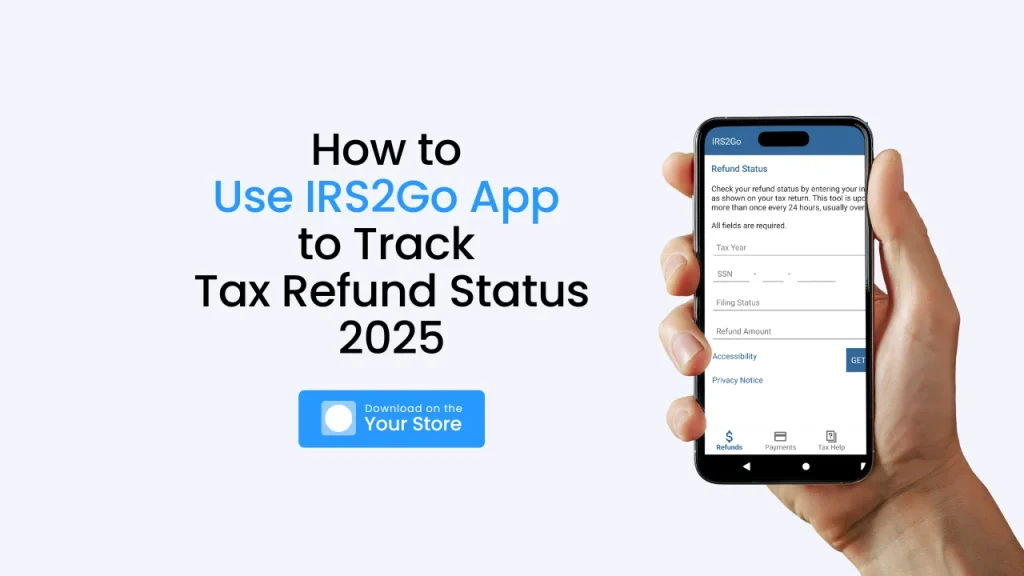
Imagine the anticipation of waiting for your tax refund, that little boost to your finances. Are you wondering how to use the IRS2Go App to track tax refund status 2025? You’re not alone. Everyone wants to know when their money is coming.
The IRS2Go app is the official mobile tool provided by the Internal Revenue Service. It allows taxpayers to conveniently monitor the status of their federal income tax refunds, make payments, and access helpful tax resources directly from their smartphones. In this article, we’ll guide you through the process of downloading, setting up, and effectively using the IRS2Go app to track your 2025 tax refund.
By reading this article, you’ll gain a clear understanding of how to leverage the IRS2Go app to stay informed about your refund status, troubleshoot common issues, and utilize its various features. We’ll provide step-by-step instructions and practical tips, ensuring you have all the necessary information to manage your tax refund efficiently. This knowledge will save you time and reduce the stress associated with waiting for your refund.
What is the IRS2Go App?
The IRS2Go app is a tool from the government. It helps you with your taxes. It is made by the IRS. This means it is official. You can use it to see where your tax refund is. You can also pay your taxes. The app is in English and Spanish. This helps more people use it. The IRS2Go app is not just for one thing. It has many uses.
Key Features of the IRS2Go App
The IRS2Go app offers four main features to make tax-related tasks easier:
- Access Secure Login Codes – Get authentication codes for secure IRS account access.
- Check Your Refund Status – Track your tax refund and see when it’s on the way.
- Make Secure Payments – Pay your taxes directly through the app.
- Find Free Tax Help – Locate free tax assistance services near you.
How to Download the IRS2Go App
Downloading the IRS2Go app is easy and free. Follow these simple steps:
- For iPhone Users: Open the Apple App Store and search for “IRS2Go.”
- For Android Users: Open the Google Play Store and search for “IRS2Go.”
- Tap the “Download” or “Install” button.
- Wait for the app to install, then open it to start using its features.
The app is completely free, and downloading it is just like installing any other app on your phone.
After downloading the IRS2Go app, open it to get started. You will see several buttons, each for a different task:
- Check Refund Status – Tap this button to track your tax refund.
- Make a Payment – Use this option to pay your taxes securely.
- Find Free Tax Help – Locate free tax assistance services near you.
- Get Login Codes – Access secure codes for IRS account login.
How to Track Tax Refund Status 2025
If you’re wondering when your tax refund will arrive, the IRS2Go app can help. Follow these steps to check your refund status:
- Open the IRS2Go App on your phone.
- Tap the “Refund Status” Button.
- Enter the required details:
- Your Social Security Number (SSN) or Individual Taxpayer Identification Number (ITIN).
- Your filing status (Single, Married Filing Jointly, etc.).
- The exact refund amount from your tax return.
Make sure you enter accurate information to get the correct status.
- If you e-filed, you can see your refund status within 24 hours of submission.
- If you mailed your tax return, it may take up to 4 weeks to appear in the system.
The app will display one of these three statuses:
- Received – Your return has been received.
- Approved – Your refund has been processed and approved.
- Sent – Your refund is on its way to your bank account or mailing address.
Troubleshooting Common Status Messages on the IRS2Go App
Sometimes, the app may display special status messages:
- Tax Topic 152 – This means your refund is still being processed. It’s not a problem, but it may take longer. The app provides a link with more details.
- Tax Topic 151 – The IRS is reviewing your return, and they may need more information. Expect a letter from the IRS explaining the issue.
If you see other error codes or messages, check the IRS website for more information.
When to Contact the IRS About Your Refund Status
Most refunds are issued within 21 days of e-filing. However, you should contact the IRS if:
- You e-filed, and it has been more than 21 days with no update.
- You mailed your return, and it has been more than 6 weeks with no status change.
You can also check your refund using the “Where’s My Refund?“ tool on the IRS website. If your status remains unclear, calling the IRS may be necessary.
How to Make Tax Payments Through the IRS2Go App
Paying your taxes through the IRS2Go app is simple and secure. Follow these steps:
- Open the IRS2Go App.
- Tap the “Payments” Button.
- Choose a Payment Method:
- IRS Direct Pay – Withdraws money directly from your bank account. This option is free.
- Credit or Debit Card – You can pay using a card, but a processing fee may apply.
The app also provides information on other payment options, such as:
- Monthly Payment Plans – Set up an installment agreement to pay over time.
- Offer in Compromise – If you cannot pay the full amount, you may qualify for a lower payment.
The IRS2Go app makes it easy to explore and choose the best payment method for your situation.
How to Access Free Tax Help via the IRS2Go App
If you need assistance with your taxes, the IRS2Go app can help you find free tax services. These services are available for:
- People with disabilities.
- People with limited English proficiency.
- Individuals and families with low to moderate income.
The app helps you locate nearby Volunteer Income Tax Assistance (VITA) and Tax Counseling for the Elderly (TCE) programs. These services provide free help with preparing and filing taxes.
Using the IRS2Go app, you can easily find a qualified tax professional who can assist you at no cost.
Generating Security Codes with the IRS2Go App
For extra security, the IRS requires a login code when accessing your online tax account. The IRS2Go app makes this process easier.
- Instead of receiving a text message, you can use the app to generate a security code.
- This is especially useful if you change your phone number and cannot receive text messages.
- Simply open the app and follow the instructions to get your unique login code.
Using the IRS2Go app for authentication ensures a secure and convenient way to access your IRS account.
Maximizing the IRS2Go App Experience
To get the most from the IRS2Go app, keep it updated. Check for updates often. Sign up for tax tips. The app can send you helpful information. Check the app regularly. Your refund status can change. Make sure the information you put in the app is correct. This will help you track your refund easily. If you need more tools, check the IRS website. It has more information.
Taxes can be complex. If you are unsure, talk to a financial advisor. They can help you understand your taxes. Learn about deductions. This can help you save money. Use tax calculators. These can help you figure out if you will get a refund or owe money. Planning is important. It helps you manage your money.
Frequently Asked Questions
How do I check my IRS refund status on the IRS2Go app?
Open the app. Click “Refund Status.” Put in your SSN, filing status, and refund amount.
Is the IRS2Go app free to download?
Yes, the IRS2Go app is free. You can download it from your app store.
Can I pay my taxes using the IRS2Go app?
Yes, you can use IRS Direct Pay or pay with a credit or debit card.
How long does it take for my refund to show on the IRS2Go app?
If you e-filed, it takes 24 hours. If you mailed, it takes about 4 weeks.
How to track my income tax refund with my phone?
Download the IRS2Go app. Open it and tap “Refund Status.” Enter your SSN, filing status, and refund amount to see your status.
Why is my tax refund delayed using the IRS2Go app?
The app shows IRS information; it doesn’t cause delays. Errors, reviews, or incorrect details can delay refunds. Contact the IRS for long delays.
Final Words
The IRS2Go app is a convenient and secure way to track your tax refund, make payments, and access free tax help. In this guide, we covered how to check your refund status, troubleshoot common messages, and maximize the app’s features. Whether you e-filed or mailed your return, using IRS2Go ensures you stay updated without the hassle of calling the IRS. Keeping the app updated and entering accurate details will help you manage your taxes effortlessly.
If you found this guide helpful, consider sharing it with adventure travelers or trekking groups who may need an easy way to track their tax refunds while on the move. Managing taxes can be challenging while traveling, but the IRS2Go app keeps things simple. Spread the word and help others stay informed about their tax refunds, no matter where their adventures take them!