


The recent closure of Bench has left many small business owners searching for reliable bookkeeping alternatives. For those looking to migrate from Bench to FreshBooks, this switch offers a chance to simplify finances while maintaining business continuity.
FreshBooks is a strong choice for this transition. It is easy to use, offers features like automated invoicing and expense tracking, and is trusted by thousands of businesses worldwide. For example, FreshBooks can help you manage client payments, track expenses, and even create detailed financial reports.
In this article, we’ll guide you step-by-step on how to migrate from Bench to FreshBooks. We’ll also cover essential tips, like preparing your data and choosing the right FreshBooks plan, to make your move smooth and error-free. By following these steps, you can ensure your business keeps running without interruptions.
Why Migrate from Bench to FreshBooks?
Bench, a popular bookkeeping service for small businesses, recently stopped operations. This means businesses that used Bench need to find a new accounting solution.
FreshBooks is a great choice. It’s easy to use, has many helpful features, and is trusted by many businesses.

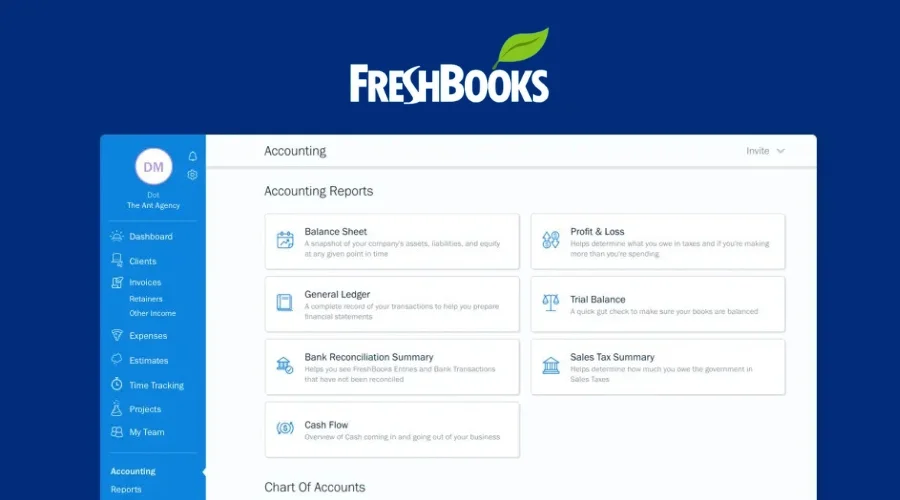
Key benefits of FreshBooks:
- Simple to use: Even if you’re not an accountant, you can easily use FreshBooks.
- Powerful features: FreshBooks helps you create invoices, track expenses, manage clients, and see how your business is doing financially.
- Flexible Integration: FreshBooks integrates with tools like PayPal, Stripe, and G Suite. This flexibility simplifies managing payments and collaborations.
- Scalability: FreshBooks grows with your business. Whether you’re a freelancer or running a growing team, FreshBooks offers plans to suit your needs.
- Trusted by many: Many businesses rely on FreshBooks for their accounting needs.
Moving from Bench to FreshBooks is a good decision. FreshBooks offers a reliable and user-friendly solution for managing your business finances.
Preparing for the Migration
Switching from Bench to FreshBooks needs careful preparation. A small mistake can cause problems later. Start by checking all your data in Bench. Make sure everything is correct. This includes things like:
- Transactions: All the money that came into and went out of your business.
- Invoices: All the bills you sent to customers.
- Expenses: All the money you spent on your business.
Next, back up all your data. Save it on your computer or cloud storage. This will protect your records if anything goes wrong during the migration. Many businesses skip this step and regret it later. According to Statista, nearly 30% of small businesses face data loss during software changes.
After backing up your data, inform your team and clients about the change. Tell them how it might affect ongoing work. For example, invoices might look different in FreshBooks. Clear communication avoids confusion.
Finally, study FreshBooks’ features. See how they match your business needs. FreshBooks has tools like automated invoicing and expense tracking. Knowing these in advance can save time later.
Choose the Right FreshBooks Plan
FreshBooks offers different plans. You need to choose the plan that fits your business best.
- Think about: How many clients you have, how many transactions you make each month, and what features you need.
- Compare plans: Look at the different plans and their prices. Choose the one that gives you the best value for your money.
Post-Migration Tips
FreshBooks has many helpful tools. Take some time to learn how to use them. Before switching from Bench to FreshBooks, you should explore the software. You can use FreshBooks free 30 days.
- Track your time: If you work with clients by the hour, FreshBooks can help you keep track of your time.
- Track your expenses: Easily record all the money you spend on your business.
- See reports: FreshBooks can create reports that show you how your business is doing financially.
Use FreshBooks Support
If you have any questions or need help, FreshBooks offers support.
- Look for help online: The FreshBooks website has many helpful articles and videos.
- Contact support: If you can’t find the answer online, you can contact FreshBooks support for assistance.
Step-by-Step Migration Process
Moving your data from Bench to FreshBooks is like moving your belongings to a new house. It takes some careful steps. Here’s how:
Exporting Data from Bench
First, you need to get your data out of Bench. This is called “exporting.” Bench lets you download your data in different formats, like CSV files. These files are like spreadsheets. They contain your transaction history, expenses, and bank statements. Think of it as packing your belongings into boxes. You need to pack everything carefully.
- Go to your Bench account.
- Find the “Reports” or “Export” section (the location may vary slightly depending on Bench’s interface).
- Choose the data you want to export (transactions, expenses, etc.).
- Select the file format (CSV is usually a good choice).
- Download the files to your computer.
Importing Data into FreshBooks
Now, you need to put your data into FreshBooks. This is called “importing.” FreshBooks allows you to upload these CSV files. This is like unpacking your boxes in your new house. You need to put everything in the right place.
- Log in to your FreshBooks account.
- Find the “Import” or “Data Import” section.
- Choose the type of data you are importing (e.g., expenses, invoices).
- Select the CSV file you downloaded from Bench.
- Follow the instructions on the screen to map the data correctly. This means telling FreshBooks which columns in your CSV file match which fields in FreshBooks. This is important to ensure the data is organized correctly.
Data Verification
After importing, check your data in FreshBooks. Make sure everything is correct. This is very important. It’s like checking your inventory after moving. Did anything get lost or broken? Check if all the transactions, expenses, and balances are correct. This ensures your bookkeeping is accurate. If you find any mistakes, you may need to adjust the import settings or manually correct the data.
Best Practices After Migration from Bench to FreshBooks
You have moved your data. Great! Now, you need to make sure everything works well in your new accounting home. Here are some important things to do:
1. Verify Data Accuracy
Check if all your data has been transferred correctly. Compare reports like income statements and balance sheets in FreshBooks with the ones from Bench. If you notice any missing or incorrect entries, fix them immediately. A study by Small Business Trends found that 23% of software migrations involve minor errors in data mapping.
2. Customize FreshBooks Settings
FreshBooks offers many customizable features. Set up your invoice templates, expense categories, and payment reminders. If your business accepts online payments, enable FreshBooks’ payment integration options like PayPal or Stripe. Customizing these settings will save time later.
3. Train Your Team
Teach your staff how to use FreshBooks. Show them how to create invoices, record expenses, and generate reports. FreshBooks has tutorials and customer support that can help. Well-trained employees make fewer mistakes and speed up daily tasks.
4. Monitor for a Few Weeks
After migration, monitor your accounting activities for a few weeks. Look for unusual entries or errors. Regular reviews ensure everything runs smoothly.
Frequently Asked Questions
Is migrating from Bench to FreshBooks difficult?
Migrating to FreshBooks can be a smooth process with careful planning and our step-by-step guide. Our bookkeeping services can also assist you with the migration
What tools can help with the migration?
FreshBooks offers its own data import tools, and third-party services like Zapier can help automate parts of the process. These tools ensure that your migration is smoother and faster. Using migration tools helps reduce the risk of human error.
How long does it take to migrate from Bench to FreshBooks?
Depending on the data size, it can take a few hours to a couple of days. Using migration tools can expedite the process.
Bottom Line
Moving from Bench to FreshBooks can be a smooth process if you follow these steps. FreshBooks offers advanced features, time-saving automation, and flexibility that help businesses grow. If you’re planning to migrate from Bench to FreshBooks and want to ensure a smooth transition, consider hiring an accounting data migration expert. They can handle the complexities for you, so you can focus on growing your business with confidence.