

Looking for the Best Accounting Software for Mac? Here’s What You Need to Know!
Managing your finances on a Mac? You need the right accounting software to track expenses, send invoices, and generate reports effortlessly. But with so many options, which one is best for you?
QuickBooks Online is great for small businesses, FreshBooks is ideal for freelancers, and Xero works well for e-commerce and international transactions. If you need a free option, Wave Accounting is a solid choice. Want mobile-friendly features? Zoho Books has you covered! In this article, we have covered all software key features, pros and cons, pricing, and factors to consider when choosing the right accounting software for you. We hope this article helps you to pick the best-suited accounting software for your Mac.
What is the Best Accounting Software Mac?
If you use a Mac and need to keep track of your money, you’ll want good accounting software. There are many choices, but some are better than others. Good software helps you with things like sending invoices, tracking expenses, and making reports. Some of the best choices for your Mac include QuickBooks Online, which is strong for most businesses and connects with many other apps; FreshBooks, which is great for people who send invoices a lot, like freelancers; Xero, which is good if your business works with money from other countries; Wave Accounting, which is free for basic use and good for small businesses just starting; and Zoho Books, which has a good mobile app.
When you pick Mac accounting software, think about what your business needs. Do you need to track a lot of items? Do you send many invoices? Do you need to use it on your phone? Try free trials to see which software you like best. This will help you find the best Mac accounting solution for you.
Top 5 Accounting Software For Mac
Are you a Mac user looking for the best accounting software? Accounting software helps you manage your finances. It makes your work easier and more efficient. Here are some top accounting software options for Mac users. These tools offer great features and user-friendly interfaces.
Quickbooks For Mac
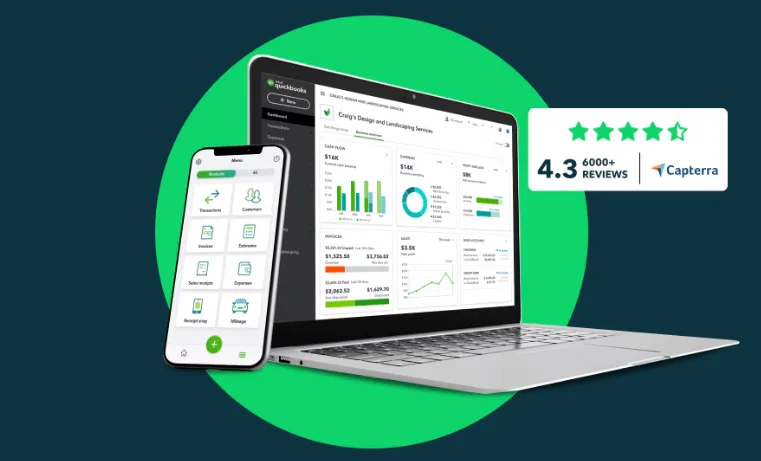
QuickBooks for Mac is a popular choice. It offers many features tailored for Mac users. Here are some key highlights:
- Easy Integration: Works well with other Mac apps.
- Customizable Invoices: Create and send personalized invoices.
- Expense Tracking: Track expenses with ease.
- Reporting: Generate detailed financial reports.
Pros
Cons
QuickBooks for Mac also supports multi-user access. This is helpful for businesses with multiple team members. You can also sync your data across devices. This ensures you have access to your financial information anytime, anywhere.
Xero
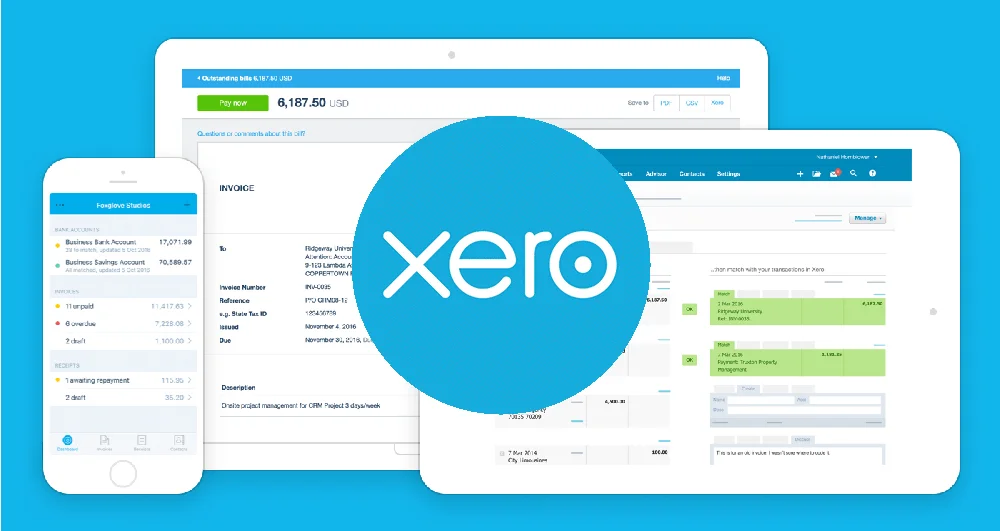
Xero is another great option for Mac users. It is known for its cloud-based features. Some of the standout features include:
- Cloud-Based: Access your data from anywhere.
- Bank Reconciliation: Easy bank transaction matching.
- Invoicing: Create and send invoices quickly.
- Inventory Management: Track your inventory in real-time.
Pros
Cons
Xero also offers multiple integrations. These include third-party apps like Stripe and PayPal. Xero’s user interface is simple and intuitive. This makes it easy even for beginners to use.
Freshbooks
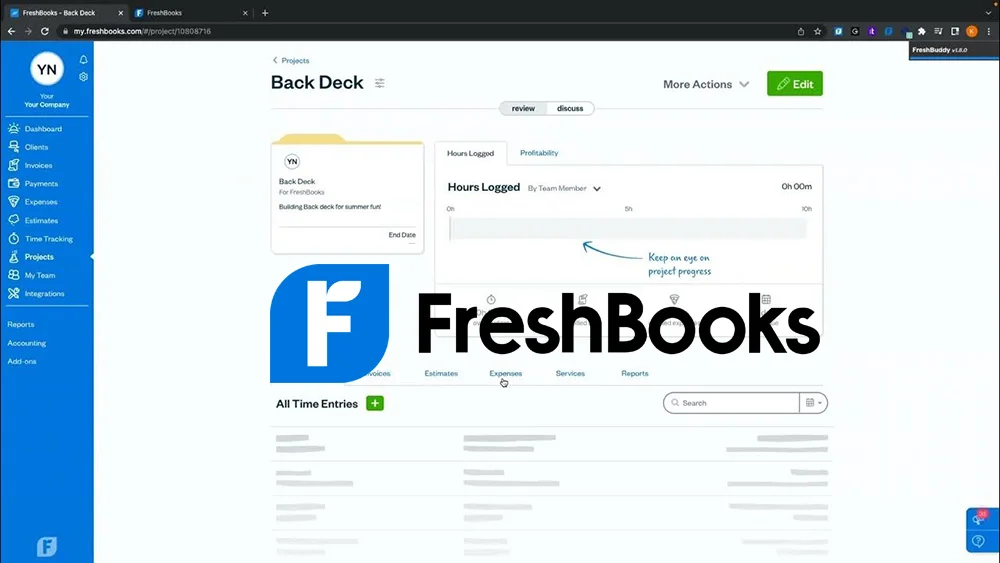
FreshBooks is known for its simplicity and ease of use. It is perfect for small businesses and freelancers. Key features include:
- Time Tracking: Track billable hours effortlessly.
- Expense Management: Snap photos of receipts and track expenses.
- Invoicing: Create professional-looking invoices.
- Payment Processing: Accept credit card payments.
Pros
Cons
FreshBooks also offers great customer support. They provide many resources to help you get started. The mobile app makes it easy to manage your finances on the go.
Zoho Books

Zoho Books is a comprehensive accounting solution. It offers a wide range of features for Mac users. Some of the key features include:
- Automated Workflows: Automate repetitive tasks.
- Multi-Currency Support: Handle transactions in multiple currencies.
- Detailed Reporting: Generate insightful financial reports.
- Client Portal: Collaborate with clients in real-time.
Pros
Cons
Zoho Books also integrates with other Zoho apps. This makes it a good choice for businesses already using Zoho products. The software is user-friendly and offers strong security features.
Wave
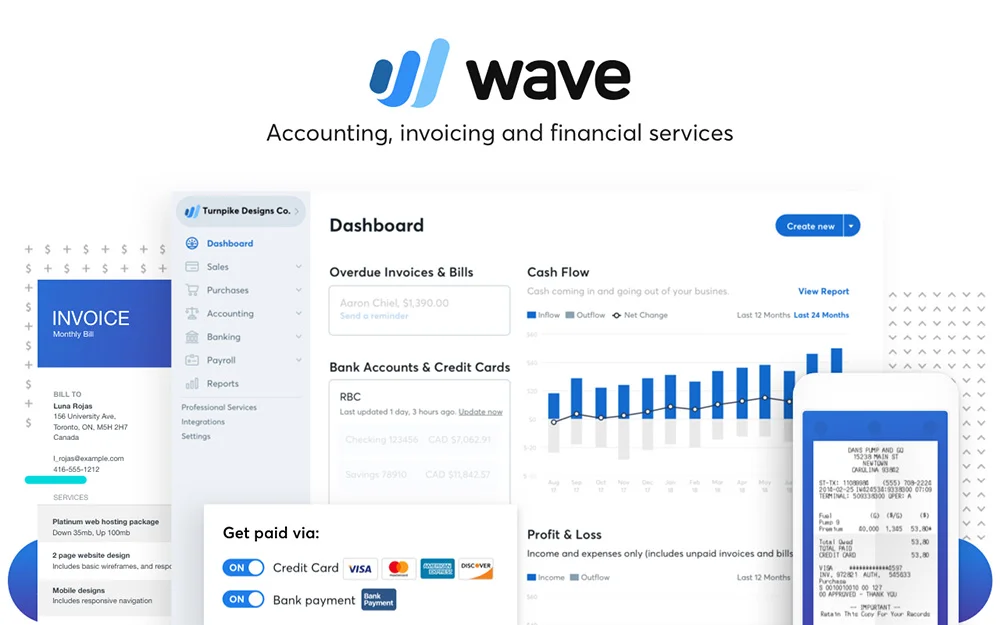
Wave is a free accounting software option. It is ideal for small businesses and freelancers. Some standout features include:
- Free to Use: No cost for basic accounting features.
- Invoicing: Create and send unlimited invoices.
- Expense Tracking: Track your expenses easily.
- Bank Reconciliation: Simple bank transaction matching.
Pros
Cons
Wave also offers paid services like payroll and payment processing. The interface is user-friendly and easy to navigate. This makes it a great option for those on a budget.
Side-by-Side Comparison Table
| Software | Invoicing | Reporting | Multi-Currency | Payroll Integration | Free Trial | Starting Price |
|---|---|---|---|---|---|---|
| QuickBooks Online | ✅ | ✅ | ✅ | ✅ | 60 days | $17/month |
| FreshBooks | ✅ | ✅ | ✅ | ❌ | 30 days | Varies |
| Xero | ✅ | ✅ | ✅ | ✅ | Yes | Varies |
| Wave | ✅ | ✅ | ❌ | ❌ | Free | Free |
| Zoho Books | ✅ | ✅ | ✅ | ✅ | Yes | $10/month |
Features to Consider When Choosing Accounting Software for Mac
Choosing the right accounting software for Mac is crucial. The software should meet business needs and be easy to use. There are many features to consider. This guide will help you understand what to look for when choosing accounting software for Mac.
Cloud-based Vs Desktop
One important choice is between cloud-based and desktop software. Cloud-based software stores data online. This means you can access it from anywhere. It also offers automatic updates and backups. Desktop software stores data on your computer. It can be faster and more secure, but you need to manage backups yourself.
Here are some pros and cons:
| Cloud-based | Desktop |
|---|---|
| Access from anywhere | Access only from your computer |
| Automatic updates | Manual updates |
| Automatic backups | Manual backups |
| Subscription cost | One-time purchase |
Ease of Use
Accounting software should be user-friendly. A simple interface can save you time. Look for software with clear instructions and tutorials. Some programs offer customer support. This can be helpful if you have questions. Test the software with a trial version. This can help you see if it is easy to use.
- Simple interface
- Clear instructions and tutorials
- Customer support available
- Free trial version
Invoicing and Billing Capabilities
Good accounting software should handle invoicing and billing. Automated invoicing can save you time. Look for software that allows customization of invoices. It should also track payments and send reminders. These features can help you get paid faster and reduce errors.
Important invoicing features include:
- Automated invoicing
- Customizable invoices
- Payment tracking
- Payment reminders
Inventory Management
Inventory management is crucial for businesses with products. Good software should track stock levels. It should alert you when stock is low. Some programs offer barcode scanning. This can speed up the process. Look for software that integrates with your sales system. This can help you manage inventory more efficiently.
Key inventory management features:
- Stock level tracking
- Low stock alerts
- Barcode scanning
- Sales system integration
Reporting And Analytics
Reporting and analytics help you understand your business. Good software should offer detailed reports. These reports can show your profits and losses. They can also track expenses and sales. Some programs offer customizable reports. This allows you to focus on what matters most to your business. Analytics can help you make better decisions.
Essential reporting features:
- Detailed reports
- Profit and loss tracking
- Expense tracking
- Sales tracking
- Customizable reports
Integration With Other Software
Accounting software for Mac has become essential for small business owners and professionals. It helps manage finances efficiently. One key feature is integration with other software. This ensures seamless operations and data flow. Let’s explore how it integrates with other software.
Compatibility With Apple Products
Accounting software for Mac works smoothly with Apple products. This includes iPhones, iPads, and MacBooks. Users can sync data across devices. This makes financial management easier. Here are some benefits:
- Seamless data synchronization between devices
- Access financial data on the go with iPhones and iPads
- Use MacBook for detailed financial reports
Apple’s iCloud plays a significant role. It ensures data is always backed up and secure. Financial data can be accessed from any Apple device. This enhances convenience and security.
Many accounting software options support Apple Pay. This helps with quick and secure payments. Users can also integrate with Siri. They can use voice commands for financial tasks. This saves time and increases efficiency. The table below shows key benefits:
| Feature | Benefit |
|---|---|
| iCloud Sync | Automatic data backup and access |
| Apple Pay | Fast and secure payments |
| Siri Integration | Voice command financial tasks |
Third-party Integrations
Many accounting software options offer third-party integrations. This enhances functionality and flexibility. Users can connect with various tools. Some popular integrations include:
- CRM systems like Salesforce
- Payment gateways like PayPal
- Project management tools like Trello
These integrations streamline business processes. For example, connecting with a CRM system helps track customer payments. Integrating with payment gateways simplifies transactions. Using project management tools ensures financials are tied to projects.
Third-party integrations also include tax software. This makes tax filing easier. Users can export data directly. This reduces errors and saves time. The table below highlights the benefits of these integrations:
| Integration | Benefit |
|---|---|
| CRM Systems | Track customer payments |
| Payment Gateways | Simplify transactions |
| Project Management Tools | Tie financials to projects |
| Tax Software | Easier tax filing |
Security and Data Backup
Accounting software for Mac offers robust features to manage your finances. Security and data backup are crucial aspects. They ensure your financial data stays safe and accessible. These software solutions provide various security measures to protect your data.
Data Encryption
Data encryption is essential for safeguarding sensitive information. It converts data into a code to prevent unauthorized access. This ensures that only authorized users can read the data. Accounting software for Mac uses strong encryption algorithms. These algorithms make it difficult for hackers to decrypt the data.
Encryption provides the following benefits:
- Protects sensitive financial data
- Prevents data breaches
- Ensures data integrity
Many accounting software solutions offer end-to-end encryption. This means data is encrypted during transmission and storage. This feature is vital for businesses handling large volumes of financial data. Strong encryption is a must for any accounting software.
Regular Backups
Regular backups are crucial to protect against data loss. They create copies of your data at set intervals. If your primary data is lost, you can restore it from the backups. Accounting software for Mac often includes automated backup features. This ensures your data is backed up without manual intervention.
Benefits of regular backups:
- Protects against accidental data loss
- Ensures data recovery during system failures
- Provides peace of mind
Some software solutions offer cloud-based backups. This means your data is stored on remote servers. Cloud backups offer added security and accessibility. Regular backups are a key feature for any reliable accounting software.
Access Controls
Access controls are important for managing who can view or edit your data. They ensure that only authorized users can access sensitive information. Accounting software for Mac provides various access control features. These features help protect your data from unauthorized access.
Key access control features include:
- User authentication
- Role-based access
- Audit trails
User authentication requires users to verify their identity. Role-based access assigns permissions based on user roles. Audit trails track user activity to detect any suspicious behavior. Access controls are essential for maintaining data security and integrity.
Pricing
Accounting software for Mac helps businesses manage their finances. Pricing is a key factor in choosing the right software. Understanding the costs involved can help you make a better decision.
Subscription-based Vs One-time Purchase
Accounting software often comes in two pricing models: subscription-based and one-time purchase. Each has its own pros and cons. A subscription model means you pay a monthly or yearly fee. This fee usually includes updates and support. A one-time purchase means you pay once and own the software. There are no recurring fees.
Subscription-based model benefits:
- Regular updates
- Customer support included
- Lower upfront cost
One-time purchase benefits:
- No recurring payments
- Cost-effective in the long run
- No sudden price increases
Choosing between these two depends on your budget and needs. Subscription-based models are great for those who prefer regular updates and support. One-time purchases are better for those who want to avoid recurring fees.
Free Vs Paid Options
Free accounting software can be a good start for small businesses. These tools offer basic features without any cost. Examples include Wave and GnuCash. They are ideal for startups and freelancers. Free options often come with limitations. They might lack advanced features and support.
Paid accounting software offers more features and better support. These tools are suitable for growing businesses. Examples include QuickBooks and Xero. Paid options usually provide:
- Advanced reporting
- Better customer support
- More integrations with other tools
Choosing between free and paid options depends on your needs. Free tools are great for simple tasks. Paid tools are better for complex accounting needs.
Additional Fees for Support and Upgrades
Many accounting software providers charge additional fees for support and upgrades. This is common with one-time purchase models. Support plans can vary. Some offer email support, while others provide phone support. Upgrades are also important to consider. They keep your software up-to-date with new features and security patches.
Typical additional fees:
| Service | Fee Range |
|---|---|
| Email support | $5 – $10 per month |
| Phone support | $20 – $30 per month |
| Software upgrades | $50 – $100 per year |
Understanding these fees can help you budget better. Always check the support and upgrade policies before buying software.
Frequently Ask Questions
Is QuickBooks Online good for Mac users?
Yes! QuickBooks Online works well on Mac because it is cloud-based. You can access it from any web browser without needing to install software. It also offers strong accounting tools, including invoicing, expense tracking, and financial reporting.
What is the best free accounting software for Mac?
Wave Accounting is the best free option for Mac users. It allows you to track income and expenses, send invoices, and generate reports at no cost. However, features like payroll and payment processing require a fee.
Can I use Xero on a Mac?
Yes! Xero is cloud-based, so you can access it from any Mac device using a web browser. It is great for e-commerce businesses and international transactions, thanks to features like multi-currency support and inventory tracking.
Does FreshBooks work on Mac?
Yes, FreshBooks is fully compatible with Mac. It is a cloud-based tool designed for freelancers and small businesses. It offers easy invoicing, time tracking, and expense management.
What is the easiest accounting software for Mac?
FreshBooks and Wave are the easiest options for Mac users. Both have simple interfaces and are beginner-friendly. FreshBooks is great for freelancers, while Wave is a good free option.
Can I do bookkeeping on Mac without software?
Yes, you can use Excel or Google Sheets to track income and expenses manually. However, accounting software like QuickBooks or Wave makes bookkeeping easier by automating reports, invoicing, and tax calculations.
Conclusion
Choosing the right accounting software for Mac can make managing your finances faster, easier, and more accurate. Whether you need powerful business tools like QuickBooks, simple invoicing with FreshBooks, or a free solution like Wave, there’s a perfect fit for every need. Think about what matters most- automation, reporting, integrations, or pricing- and try free trials to find the best match. With the right software, you can save time, reduce errors, and focus on growing your business. Ready to get started? Explore your options today!

Leave a Reply