Are you a freelancer or small business owner who wants an easy way to handle finances? FreshBooks accounting software could be the right choice for you. It is known for its simple design and helpful features. FreshBooks helps you create invoices, track expenses, and manage time all in one place.
More small businesses are choosing tools like FreshBooks. A recent trend shows that easy-to-use accounting software is popular because it saves time and reduces stress. FreshBooks is designed for people who manage many tasks and need quick, clear solutions.
In this FreshBooks accounting software review, you will learn about FreshBooks’ features, prices, pros and cons, comparison with competitors, and what experts say about it. If you are just starting or growing your business, this guide will help you decide if FreshBooks is the right tool for you. Keep reading to see how FreshBooks can make managing money simple and stress-free.
FreshBooks is a cloud-based accounting software that helps small business owners manage their money more easily. Started in 2003, it has grown from a simple invoice tool to help over 30 million users in more than 160 countries (Source: FreshBooks.com, 2024).
Why do people choose FreshBooks? First, it’s very easy to use. If you can use email, you can use FreshBooks. The software turns complex accounting tasks into simple steps. This saves time – many users report saving about 16 hours each month on paperwork (Source: TechRadar Review, 2024).
FreshBooks works best for:
Small business owners (1-50 employees)
Freelancers who work alone
Service businesses like consultants
Creative professionals like designers
People who send lots of invoices
Why Choose FreshBooks for Your Business?
FreshBooks offers several benefits that make it a favorite among small businesses:
Accessibility: Manage your accounting anytime, anywhere, thanks to its cloud-based design.
Automation: Automate tasks like invoicing and payment reminders to reduce manual effort.
Customer Satisfaction: FreshBooks is highly rated for its excellent support and intuitive tools, ensuring a smooth experience.
Whether you’re an entrepreneur or freelancer, FreshBooks provides the essential tools to streamline your financial processes and keep your business on track.
Key Features of FreshBooks Accounting Software
FreshBooks offers essential features that make accounting manageable for small business owners. Let’s examine each main feature and understand how it helps your business.
Invoicing and Payment Processing
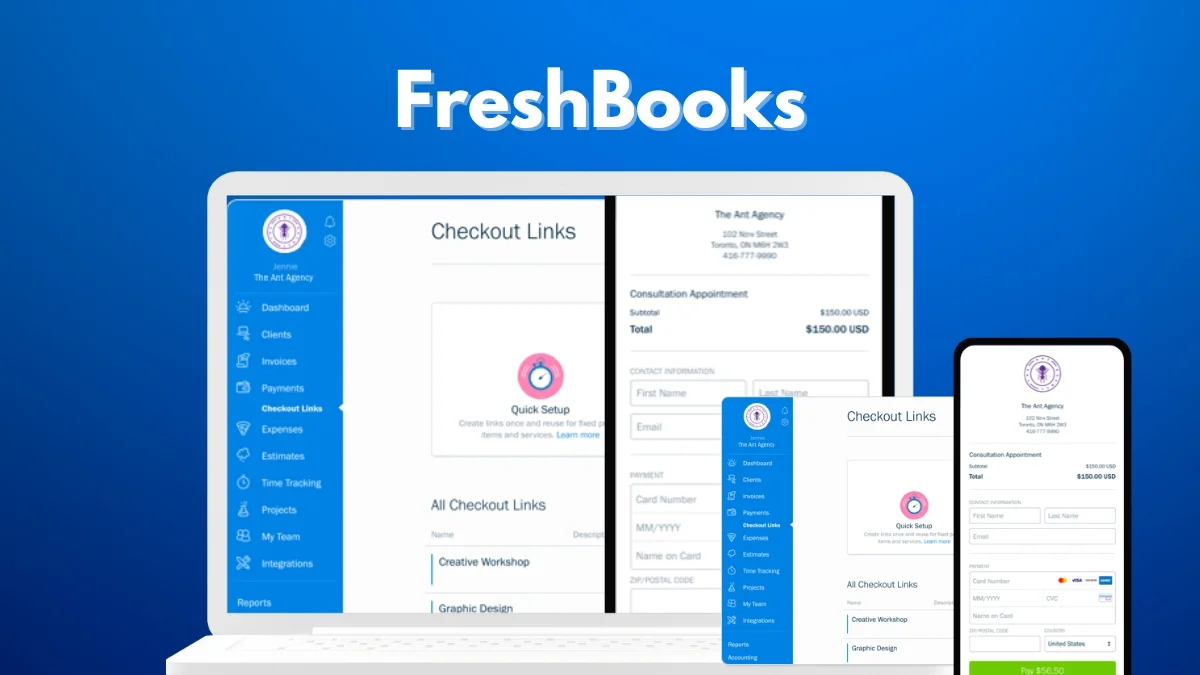
FreshBooks makes billing simple. You can create professional invoices in less than one minute. The system lets you:
Make invoices that look professional using ready-made templates
Add your company logo and colors
Send invoices automatically on a schedule
Get paid faster with online payments
Track when clients view invoices
According to recent user data, businesses using FreshBooks get paid up to 11 days faster compared to traditional invoicing methods (Source: FreshBooks Internal Study, 2024).
Expense Tracking and Receipt Management
Managing expenses becomes straightforward with FreshBooks. The system helps you:
Take pictures of receipts with your phone
Connect your bank account to import expenses
Sort expenses into categories automatically
Mark expenses as billable to clients
Create expense reports for tax time
Studies show that automated expense tracking saves about 4.5 hours per month compared to manual methods (Source: Business News Daily, 2024).
Time Tracking and Project Tools
With FreshBooks, tracking billable hours becomes simple and accurate. Its built-in timer lets you log your time directly into projects or invoices. FreshBooks includes:
Simple timer for tracking work hours
Project time budgets
Team time tracking
Billable hours reports
Project profit calculations
By accurately tracking your time, you can ensure that you are getting paid fairly for your work.
Financial Reports
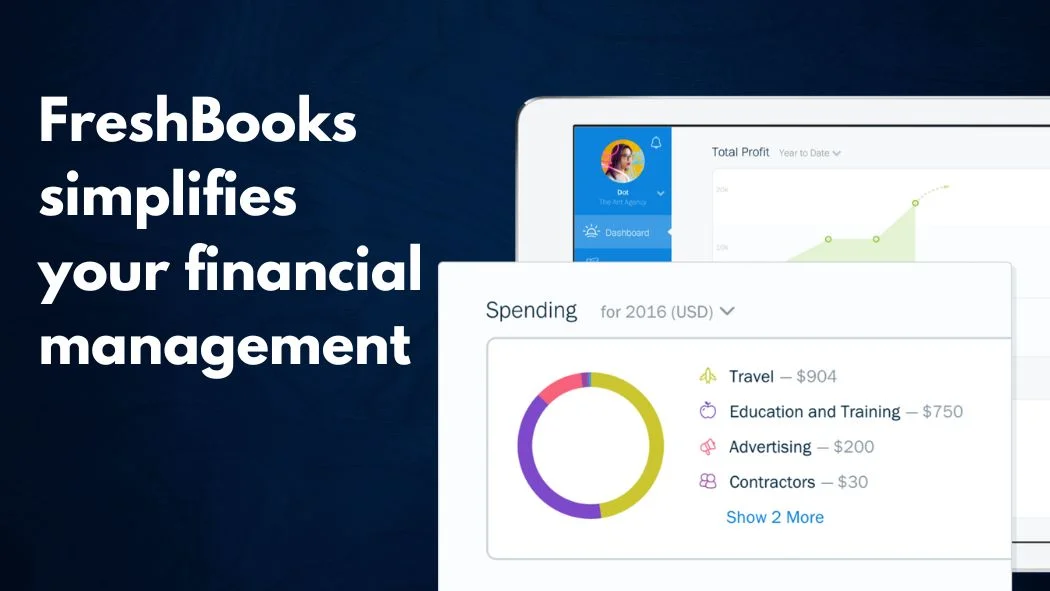
FreshBooks Accounting Software provides basic accounting features, such as income statements and balance sheets. These reports can help you understand the financial health of your business.
FreshBooks Accounting Software can also generate reports that are helpful for tax preparation. This can save you time and money when it comes time to file your taxes.
Profit and Loss statements
Tax summary reports
Accounts aging reports
Revenue by client reports
Custom report options
The reports use simple language and clear charts, making them easy to understand even if you’re not an accountant.
Bank Connection and Reconciliation
FreshBooks offers a suite of features related to bank connections and reconciliation, designed to streamline your financial management:
Import transactions automatically
Match payments to invoices
Spot duplicate entries
Track business expenses
Prepare for tax season
By leveraging these features, FreshBooks helps businesses maintain accurate financial records, improve cash flow management, and simplify their bookkeeping tasks.
Mobile App Features
FreshBooks works well on phones and tablets. The mobile app lets you:
Create and send invoices
Take pictures of receipts
Track time while working
Check business updates
Accept payments anywhere
According to mobile app store ratings, the FreshBooks app maintains a 4.5/5 star rating from over 100,000 users (Source: App Store & Google Play, 2024).
Benefits of Using FreshBooks Accounting Software
FreshBooks accounting software offers a variety of benefits tailored to small businesses, freelancers, startups, and self-employed professionals. The key reasons for choosing FreskBooks for the above-mentioned user groups are as follows:
User-Friendly Interface
FreshBooks is designed for small business owners who don’t have a background in accounting. Its intuitive interface simplifies complex tasks, such as managing invoices, expenses, and financial reports. Whether you’re a freelancer or a small business owner, you’ll find navigating FreshBooks easy and stress-free.
Automated Features
Automation is one of FreshBooks’ biggest strengths. Tasks like sending invoices, payment reminders, and expense categorization can all be set to run automatically. This reduces the manual workload, saves time, and minimizes the risk of errors. For businesses with limited resources, these features are a game-changer.
Cloud-Based Mobility
Since FreshBooks operates on the cloud, you can access your account from any device with an internet connection. Whether you’re in the office, at home, or on the go, your financial data is always at your fingertips. This mobility ensures you never miss an important update or deadline.
FreshBooks Pricing: Plans, Costs
FreshBooks offers transparent pricing with four main plans designed to accommodate different business sizes and needs. Each plan includes core features while adding capabilities as you move up in tiers.
Lite Plan ($15/month)
The Lite plan serves as an entry point for self-employed professionals and new businesses. It includes:
Invoices for up to 5 clients
Basic expense tracking
Time tracking tools
Standard financial reports
Mobile app access
This plan proves most cost-effective for freelancers and solo entrepreneurs who maintain a small client base, offering a return on investment of approximately $200 annually in time saved (Source: FreshBooks ROI Calculator, 2024).
Plus Plan ($30/month)
The Plus plan represents FreshBooks’ most popular option, designed for growing small businesses. Additional features include:
Invoices for up to 50 clients
Automated payment reminders
Double-entry accounting
Client retainers
Advanced reporting capabilities
Independent research indicates that businesses using the Plus plan report an average 23% improvement in payment collection times (Source: Software Advice, 2024).
Premium Plan ($55/month)
Suited for established small businesses, the Premium plan removes client limits and adds:
Unlimited clients
Project profitability tracking
Custom email templates
Advanced payment options
Team member access
Select Plan (Custom Pricing)
The Select plan caters to larger organizations requiring specialized features:
Dedicated account manager
Custom training
Lower credit card transaction rates
Priority support
Custom integrations
All plans include:
Free 30-day trial period
No contracts required
Monthly or annual billing options (save 10% with annual)
Let’s examine the key benefits and potential drawbacks of FreshBooks accounting software to help determine if it’s the right choice for your business needs.
Pros of Using FreshBooks
FreshBooks is a favorite for freelancers and small business owners due to its simplicity and effectiveness. It provides features that save time and help manage finances easily.
User-Friendly Interface:
Easy to navigate, even for beginners.
Customizable invoices with logos and colors to reflect your brand.
Comprehensive Invoicing and Time Tracking:
Quickly create and send professional invoices.
Log billable hours and integrate them into invoices.
Mobile App Functionality:
Manage invoices, expenses, and reports while on the move.
Ideal for busy entrepreneurs who need flexibility.
Responsive Customer Support:
Extended phone support hours.
Quick and friendly assistance, often resolving issues in minutes.
Secure Data Protection:
Bank-level encryption ensures sensitive data is safe.
Cons of Using FreshBooks
Despite its advantages, FreshBooks has some limitations that small business owners should consider. These issues might impact businesses with more complex needs.
Limited Clients and Users in Lower-Tier Plans:
Lite plan supports only 5 billable clients.
Upgrading is necessary for growing businesses.
Missing Key Features in Lite Plan:
No bank reconciliation, which is essential for accurate financial tracking.
May require external tools or a plan upgrade to access this feature.
Restricted Accountant Access:
No full audit trail, making it harder to track changes.
Reduces efficiency for accountants handling multiple accounts.
Additional Costs for Extra Users:
Charges apply for adding users, increasing total costs.
Can become expensive for businesses needing multiple accounts.
Comparison with Competitors
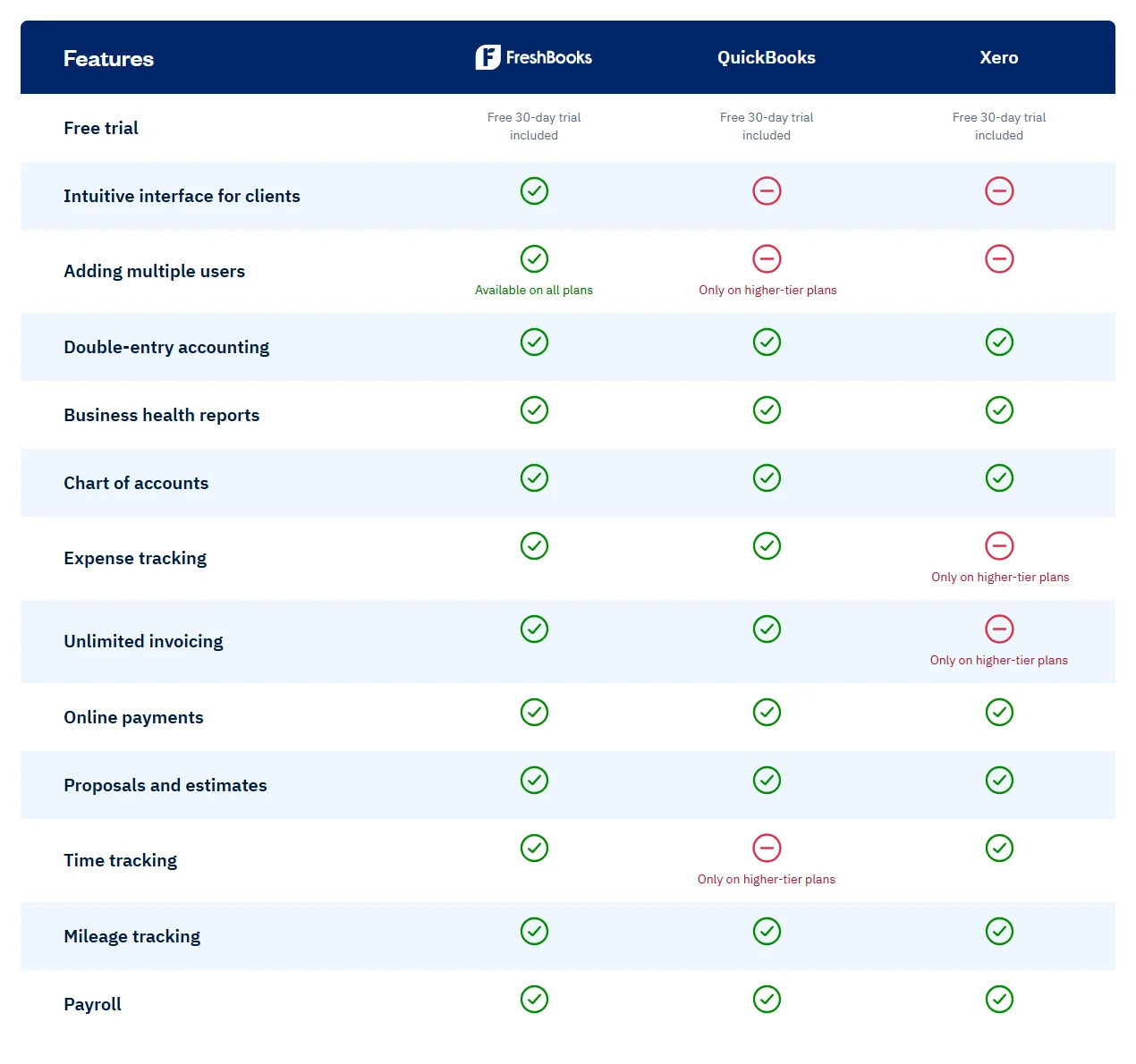
FreshBooks competes with major accounting software like QuickBooks Online, Xero, and Wave. Each option has its strengths and weaknesses.
FreshBooks vs. QuickBooks Online
Strengths: Simple interface, great for non-accountants, excellent invoicing and time tracking.
Weaknesses: Lacks robust reporting and inventory management available in QuickBooks.
Pricing: FreshBooks is more affordable, but QuickBooks offers more advanced tools for larger businesses.
FreshBooks vs. Xero
Strengths: Beginner-friendly design, ideal for freelancers and small businesses.
Weaknesses:Xero supports multi-currency transactions and fixed asset management, areas where FreshBooks falls short.
Interface: Xero’s complex layout may be overwhelming for beginners, unlike FreshBooks.
FreshBooks vs. Wave
Strengths: Wave is free and suitable for startups or small budgets.
Weaknesses: Lacks time tracking and project management tools offered by FreshBooks.
Use Case: Wave is basic but limited; FreshBooks provides more features for growing businesses.
FreshBooks Support and Learning Resources
FreshBooks provides comprehensive customer support and educational resources to ensure users can maximize their software investment. Here’s a detailed overview of the available support options:
Support Channels
FreshBooks maintains multiple support channels with impressive response times. Their customer service team is available via:
Phone Support: Available Monday through Friday, 8 AM to 8 PM EDT, with an average wait time of fewer than 2 minutes (Source: FreshBooks Support Metrics, 2024). Support representatives are native English speakers based in North America.
Email Support: Response time typically within 24 hours, with detailed solutions and step-by-step guidance when needed. The support team maintains a 95% satisfaction rating based on post-interaction surveys.
Live Chat: Available during business hours with real-time assistance for quick questions and immediate problem-solving.
Knowledge Base Resources
FreshBooks maintains an extensive online knowledge base that includes:
Step-by-step tutorial articles
Video demonstrations
Frequently asked questions
Troubleshooting guides
Feature updates and release notes
Training Materials
The platform offers structured learning resources:
Getting Started Guide for new users
Regular webinars for different experience levels
Downloadable user manuals
Feature-specific training modules
Community Forums
The FreshBooks community platform enables:
Peer-to-peer support
Feature request discussions
Best practice sharing
Integration tips from experienced users
According to recent satisfaction surveys, 92% of users report finding solutions to their questions through these support channels within one business day (Source: G2 Reviews, 2024).
Real-Life User Testimonials
What do actual users say about FreshBooks? Here are a few stories from small business owners just like you.
“FreshBooks lets me spend less time managing invoices and more time working with clients. It’s an absolute lifesaver for a freelancer like me!” – Jessie T., Graphic Designer
“Switching to FreshBooks was the best decision I made as a startup founder. It took the stress out of our financial management and kept costs low.” – Raj P., Tech Entrepreneur
“I love that FreshBooks integrates seamlessly with my payment systems. Everything is so organized now!” – Aria L., Café Owner
Frequently Asked Questions
What is the best accounting software for freelancers?
FreshBooks Accounting Software is highly recommended for freelancers due to its ease of use for invoicing, time tracking, and expense tracking.
Is FreshBooks Accounting Software suitable for startups?
Yes, FreshBooks Accounting Software is an excellent choice for startups as they can easily scale their plans as their business grows.
How does FreshBooks Accounting Software compare to QuickBooks?
While both are popular online accounting software options, FreshBooks Accounting Software generally offers a more user-friendly interface and is specifically designed for the needs of small businesses and freelancers.
Final Thoughts
FreshBooks Accounting Software is a powerful and easy-to-use accounting software solution for small businesses and freelancers. It can help you save time and money, and make your business more organized.
If you are looking for accounting software that is easy to use and affordable, FreshBooks is a great option.
A seasoned financial professional with expertise in accounting and tax advisory services. Passionate about crafting informative and engaging content through writing.


Leave a Reply