
Are you ready to boost your bottom line? Find out 10 Reasons QuickBooks is the Best Accounting Software for Small Business.
Managing money is very important for any small business. Business owners need to know how much money is coming in and going out. Without good records, it is hard to see if the business is making a profit or losing money. This is where accounting software helps. It makes managing money simple and saves a lot of time. According to a report by Software Advice, over 29 million small businesses in the U.S. use accounting software, and QuickBooks holds a large market share due to its simple tools and strong features.
In this article, we will explore the 10 reasons why QuickBooks is the best accounting software for small business. Each reason is based on facts, logic, and expert opinions. You will learn how QuickBooks can help you save time, manage money, and grow your business. By the end of this article, you will understand why many small business owners trust QuickBooks for managing their finances.
10 Reasons QuickBooks is the Best Accounting Software for Small Business
QuickBooks is a well-known accounting software made for small business. Here are 10 simple reasons why it is popular:
1. User-Friendly Interface
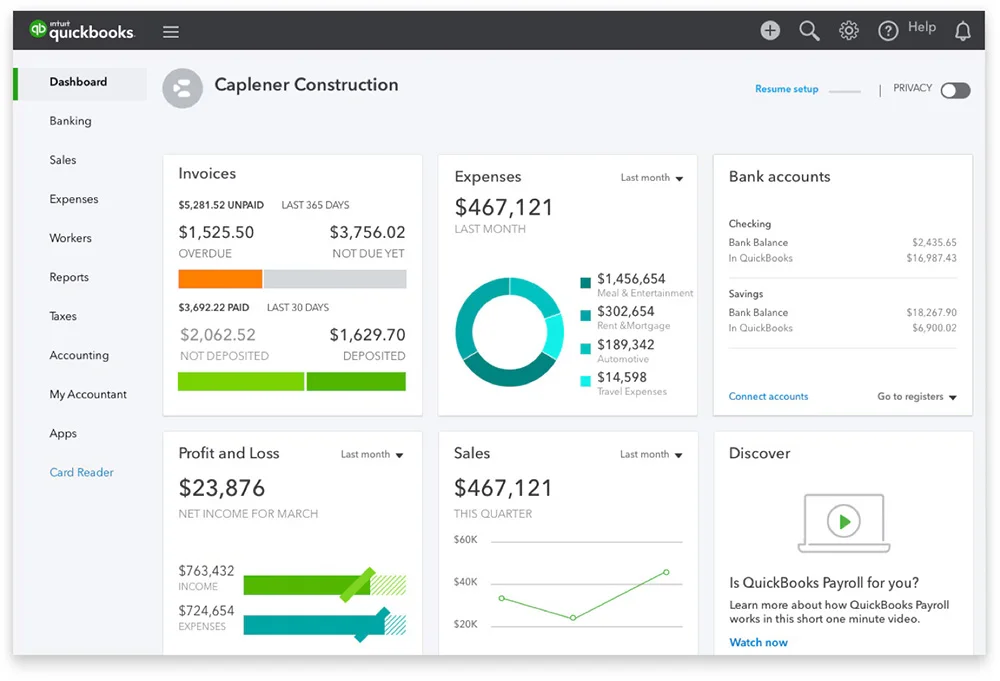
One of the biggest problems small business owners face is using complex accounting tools. Many owners do not have accounting knowledge, and hiring an accountant can be expensive. QuickBooks solves this problem with its user-friendly interface.
The design is very simple. The dashboard shows all important information like sales, expenses, and profits in one place. Business owners can easily find what they need without learning complicated accounting terms.
A survey by Business News Daily found that 78% of small business owners said they prefer software that is easy to use. This makes sense because owners are often busy and need quick access to financial information.
Why this matters: A simple design saves time and reduces stress. Owners can focus on growing their business instead of struggling with complicated tools.
2. Time-Saving Automation
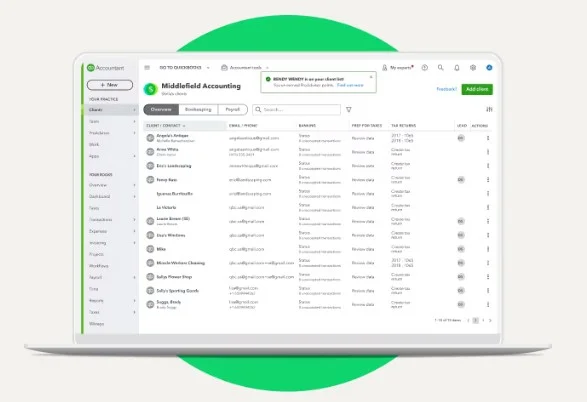
Running a small business involves many small but important tasks. Sending invoices, tracking expenses, and managing payroll take a lot of time. QuickBooks solves this problem with time-saving automation.
With QuickBooks, you can set up automatic invoicing. For example, if you offer monthly services, the system can send bills to your customers every month without you doing anything. This reduces the chance of forgetting to send invoices.
Expense tracking is also automatic. If you connect your bank account to QuickBooks, it will record all your spending. You don’t need to enter each purchase manually. This saves hours every week.
Why this matters: Automating tasks means fewer mistakes and more time to focus on what truly matters to your business.
3. Comprehensive Financial Reporting

Understanding your business’s financial health is important. Without proper reports, it’s hard to know if your business is making or losing money. QuickBooks provides comprehensive financial reports that make it easy to track your progress.
You can create reports like:
- Profit and Loss Statements – Shows how much money you made or lost over time.
- Balance Sheets – Lists what your business owns and what it owes.
- Cash Flow Statements – Tracks how money moves in and out of your business.
These reports are customizable. You can choose what details to include and how often to receive them. This helps in making smart decisions. According to Forbes, 65% of small business owners say that financial reports help them make better decisions.
Why this matters: Detailed reports give you a clear view of your business. They help you plan for the future and avoid financial problems.
4. Cloud-Based Access
Today, many business owners are always on the move. They need to check their financial data anytime, anywhere. QuickBooks offers cloud-based access, which means you can view your business finances from your phone, tablet, or computer.
If you are traveling or working from home, you can still send invoices, check expenses, or run reports. QuickBooks Online makes this possible. A report by Flexera found that 94% of businesses use cloud services to stay flexible and competitive.
Also, the cloud automatically saves your work. If your computer crashes, your data is safe. This is better than using software that only works on one computer.
Why this matters: You can manage your business from anywhere, at any time. This gives you more freedom and better control.
5. Robust Security Features
Protecting financial data is very important. If your data is stolen, it can harm your business. QuickBooks takes data security seriously.
It uses bank-level security, the same kind banks use. This includes:
- Data encryption to protect your information.
- Automatic backups so your data is never lost.
- Two-factor authentication for extra security.
According to Statista, 68% of small businesses are worried about cyberattacks. QuickBooks reduces this risk by using strong security systems.
Why this matters: Safe data means peace of mind. You can focus on your business without worrying about hackers.
6. Integration Capabilities
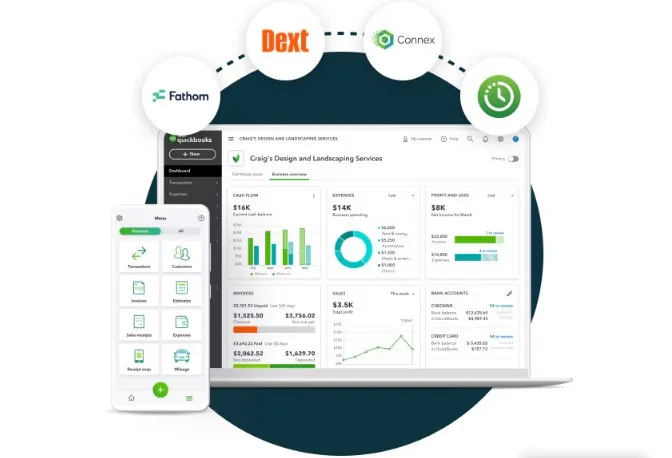
Running a small business often requires using many tools email marketing platforms, CRM systems, and payment processors. Switching between these tools can be time-consuming and lead to errors. QuickBooks solves this problem with its excellent integration capabilities.
QuickBooks connects with over 200 business applications, including:
- Microsoft Excel for data analysis.
- PayPal and Square for payment processing.
- CRM tools like Salesforce for customer management.
- Inventory management systems for tracking stock.
This means that all your business tools can work together smoothly. For example, when you make a sale, the payment system updates your income in QuickBooks automatically. No need for manual entry! By combining tools, QuickBooks makes workflows easier and improves accuracy.
Why this matters: Integrating your tools saves time, reduces mistakes, and keeps your business running smoothly.
7. Cost-Effective Solution
Hiring a full-time accountant or using expensive software can strain a small business budget. QuickBooks offers a cost-effective accounting solution that provides powerful features at affordable prices.
There are different pricing plans to fit every business size, from startups to growing companies. Plans start as low as $19/month, making it easy for new businesses to start managing finances professionally. Compared to hiring an accountant, which can cost $3,000–$5,000 a year, QuickBooks saves money. Plus, it offers more than basic bookkeeping-it automates tasks, generates reports, and helps with tax preparation.
Investopedia reports that 60% of small businesses struggle with cash flow. Using affordable tools like QuickBooks helps manage money wisely.
Why this matters: QuickBooks gives you professional accounting tools without breaking the bank. It’s a smart investment for small businesses.
8. Enhanced Collaboration
Many small businesses need multiple people to manage finances. Owners, accountants, and employees often need to access financial data. QuickBooks makes this easy with multi-user access and collaboration tools.
You can invite your accountant or employees to work on your account. You control what each person can see and edit. For example:
- Your accountant can view financial reports.
- Employees can enter expenses but not see profits.
This system prevents sensitive data from being shared with everyone while still allowing teamwork. According to Small Business Trends, businesses that improve collaboration are 20–25 % more productive. QuickBooks Online makes it even easier by allowing remote collaboration. Your team can access the system from different locations.
Why this matters: Sharing financial tasks improves efficiency while keeping sensitive data safe.
9. Tax Management Features
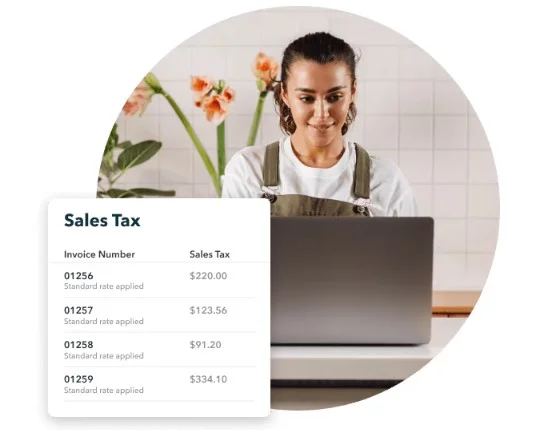
Many small business owners worry about taxes. Filing taxes can be confusing and stressful. QuickBooks makes tax management simple.
It helps in many ways:
- Tracks tax-deductible expenses automatically.
- Organizes receipts and important tax documents.
- Calculates taxes owed and reminds you of deadlines.
This reduces the chance of missing deductions or making costly mistakes. QuickBooks also integrates with tax software like TurboTax to make filing easier. The National Small Business Association reports that 40% of small businesses pay fines for incorrect tax filings. Using QuickBooks helps avoid this problem.
Why this matters: QuickBooks takes the stress out of tax season and helps you save money by maximizing deductions.
10. Scalability for Business Growth
As your business grows, your accounting needs will change. A tool that works for a startup may not work for a larger company. QuickBooks is designed to grow with you.
It offers features for every stage of growth:
- Simple plans for startups.
- Advanced features for growing businesses.
- Industry-specific tools for retail, healthcare, and non-profits.
You can add more features or upgrade to bigger plans as needed. A study by U.S. Bank shows that 82% of small businesses fail due to poor cash flow management. QuickBooks grows with your business, ensuring your finances are always in order.
Why this matters: QuickBooks supports your business as it grows, so you never need to switch software.
Frequently Asked Questions (FAQ)
1. Is QuickBooks suitable for very small businesses or startups?
Yes, QuickBooks offers low-cost plans and simple tools, making it perfect for startups and very small businesses.
2. Can QuickBooks handle payroll services?
Yes, QuickBooks offers automated payroll services to calculate employee pay, taxes, and even direct deposits.
3. How secure is my financial data with QuickBooks?
QuickBooks uses bank-level security, including encryption and automatic backups, to keep your data safe.
4. Can I access QuickBooks on mobile devices?
Yes, with cloud-based access, you can manage your business finances anytime, anywhere.
5. Does QuickBooks integrate with other business apps?
QuickBooks connects with over 200 business applications, such as Microsoft Excel, PayPal, and CRM tools.
6. How does QuickBooks help with tax preparation?
QuickBooks tracks expenses, calculates taxes, and integrates with tax software like TurboTax to simplify tax filing.
7. Is QuickBooks scalable for growing businesses?
Yes, QuickBooks offers different plans and features that grow with your business.
8. What makes QuickBooks different from other accounting software?
QuickBooks is affordable, easy to use, and offers powerful features like automation, integration, and financial reporting.
Final Words
QuickBooks is the best accounting software for small businesses because it is simple, powerful, and efficient. Its easy-to-use design helps business owners manage finances without needing accounting skills. Automation features like invoicing, expense tracking, and tax management save time and prevent mistakes. QuickBooks also provides clear financial reports, connects with over 200 apps, and offers secure cloud access for managing finances anytime, anywhere.
The 10 reasons QuickBooks is the best accounting software for small business show why it’s the top choice for managing money and growing a business. It is affordable, scalable, and packed with helpful tools. Whether you are just starting or expanding, QuickBooks makes business operations easier, improves financial health, and supports long-term success.
Why wait? Start using QuickBooks today and take control of your business finances.

Leave a Reply