
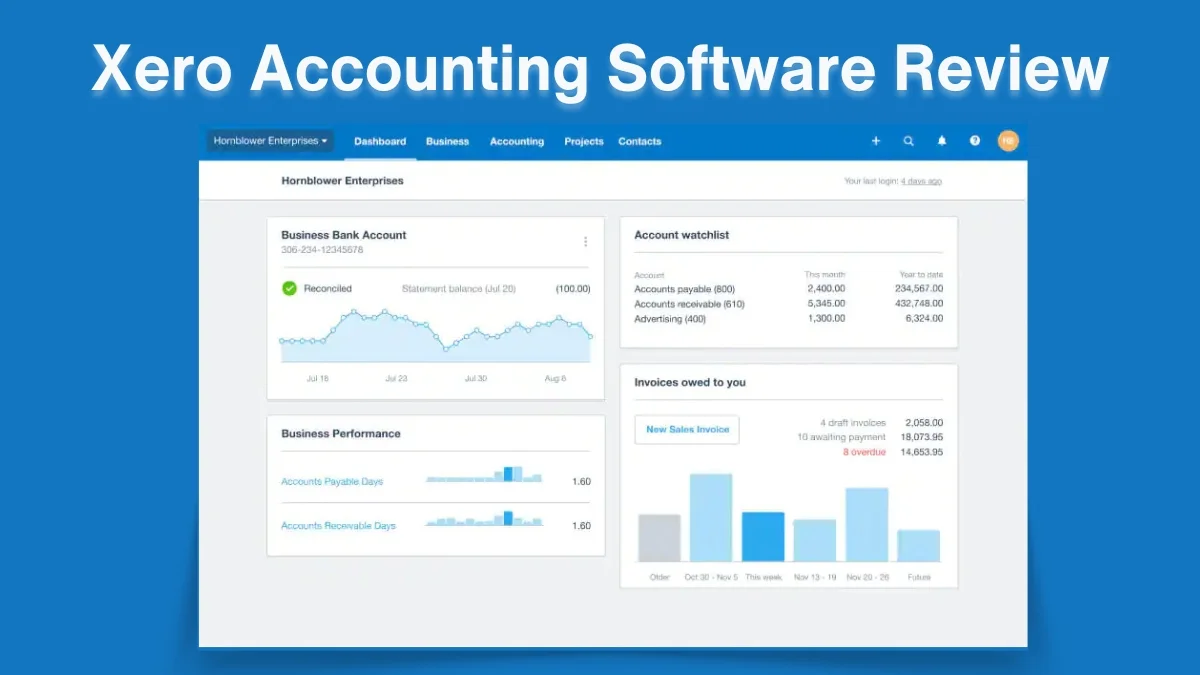
Are you looking for easy-to-use accounting software? According to G2, Xero is the top recommended cloud-based accounting software for small business enterprises. Most of the small and medium enterprises use Xero because of its user-friendly interface, inventory management, simple bank reconciliation process, and robust integration ecosystem.
This article will guide you through Xero Accounting Software Reviews. We will see why Xero is so popular with small businesses. Here I’ve discussed the key features of this software, detailed pricing analysis, pros and cons, and competitor analysis so that you can choose the suitable cloud accounting software for your business. No more intro. Let’s dive into the article and find out why Xero is a standalone accounting software for small and medium business ventures.
What is Xero Accounting Software
Xero is a cloud-based accounting software that helps businesses manage their financial tasks easily. Founded in 2006 in New Zealand, Xero has grown to become one of the most popular accounting platforms worldwide. The software aims to make accounting simple for small and medium-sized businesses.
What Makes Xero Special?
Xero stands out because it offers:
- Easy-to-use online platform
- Powerful accounting tools
- Affordable pricing
- Automatic updates
- Secure cloud storage
Market Position
According to Statista, Xero has over 3 million subscribers globally as of 2023. This shows how many businesses trust the platform for their financial management.
Key Features Overview
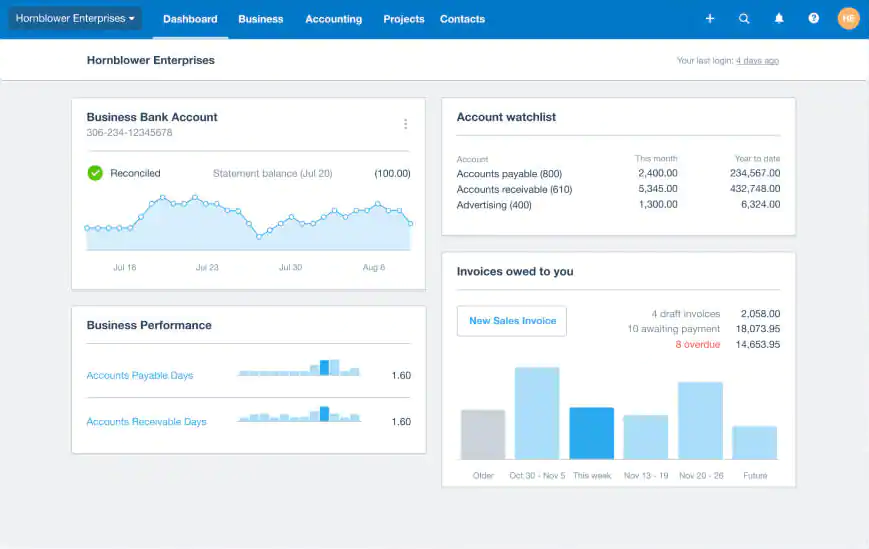
Xero offers a range of features that make managing finances easier for small businesses. Let’s explore some of the most useful tools:
1. Dashboard and Financial Tracking
The Xero dashboard gives users a clear view of their financial health. It shows:
- Cash flow
- Invoices
- Bills to pay
- Bank account balances
Users can see everything at a glance, which helps in making quick business decisions.
2. Invoice Management
Xero makes creating and sending invoices very simple. Key invoice features include:
- Custom invoice templates
- Automatic payment reminders
- Online payment options
- Multi-currency support
A 2022 survey by Capterra found that 85% of Xero users found invoice management much easier compared to traditional methods.
3. Bank Reconciliation
One of Xero’s strongest features is bank reconciliation. The software:
- Connects directly to bank accounts
- Automatically imports transactions
- Suggests matching categories
- Reduces manual data entry
The average time saved on bank reconciliation is about 10 hours per month for small businesses.
4. Payroll Management
Xero offers comprehensive payroll solutions:
- Automatic tax calculations
- Employee payment tracking
- Leave management
- Compliance with local tax regulations
According to a 2023 report by G2, Xero’s payroll feature is rated 4.3 out of 5 by users.
5. Mobile Accessibility
Modern businesses need flexibility. Xero’s mobile app allows users to:
- Create invoices on the go
- Check financial reports
- Capture receipt images
- Approve expenses from smartphones
The mobile app is available on both iOS and Android platforms, making it convenient for business owners.
6. Security Measures
Xero takes data protection seriously:
- 256-bit encryption
- Two-factor authentication
- Regular security updates
- Compliance with international data protection standards
Detailed Pricing Analysis
Xero offers flexible pricing plans tailored to different business needs. Whether you’re a freelancer or running a larger company, you can choose a plan that fits your budget and requirements.
Pricing Structure Breakdown
Xero offers three distinct pricing tiers, designed to meet the diverse needs of different business sizes:
1. Starter Plan ($29/month)
Ideal for very small businesses or sole proprietors, this plan provides:
- Invoicing for up to 5 invoices per month
- Bank connections
- Basic reporting
- Limited user access
2. Standard Plan ($46/month)
Most popular among small to medium businesses, this plan includes:
- Unlimited invoicing
- Bill tracking
- Payroll for up to 5 employees
- Multiple user access
- More comprehensive reporting tools
3. Premium Plan ($69/month)
Designed for growing businesses with more complex financial needs:
- Unlimited invoicing
- Payroll for up to 10 employees
- Advanced reporting
- Multi-currency support
- Inventory tracking
Cost Comparison with Competitors
A detailed analysis by Software Advice reveals:
- Xero is competitively priced compared to QuickBooks
- Offers more features at lower price points
- Provides flexible scaling options for growing businesses
Value Proposition
The true value of Xero goes beyond its price tag. Businesses typically save:
- 10-15 hours of manual accounting work monthly
- Approximately $500-$1,000 in accounting software and time savings
- Reduced risk of manual calculation errors
User Interface and Ease of Use
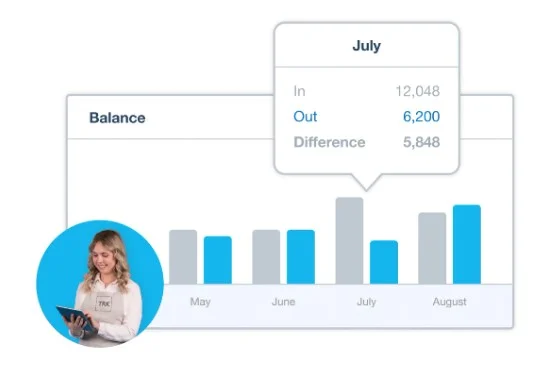
Xero offers a wide range of features that improve efficiency, accuracy, and ease of use in managing finances. Here’s a look at the key features that make Xero a favorite among small business owners and financial professionals.
Design Philosophy
Xero’s interface is built on three essential principles: simplicity, ease of navigation, and clear visual data representation. Simplicity ensures that users can understand and use the platform without confusion. Intuitive navigation helps users find what they need quickly, reducing frustration. Visual data representation means important financial details are shown in charts, graphs, and summaries, making them easier to grasp at a glance.
Dashboard Experience
Xero’s dashboard is designed to provide users with a real-time overview of their financial status. It includes graphical displays of cash flow, helping users see how money moves in and out. Key financial documents, like invoices and reports, are just a click away for quick access. Users can also customize the dashboard by adding or rearranging widgets to display the information most important to them.
Navigation and Usability
Xero features a clean, modern design that minimizes clutter and makes navigation straightforward. Its layout is consistent across all pages, reducing the learning curve for new users. The platform is responsive, meaning it works smoothly on any device, including desktops, tablets, and smartphones, ensuring a seamless experience for users on the go.
User Experience Research
A 2023 study by TechValidate highlighted Xero’s user-friendly approach. The study found that
- 92% of users found Xero easier to use than traditional accounting software
- 88% reported reduced time spent on financial management
- 79% appreciated the intuitive design
Accessibility Features
Xero is designed to be accessible to all users, regardless of physical or technical limitations. It supports screen readers for visually impaired users and keyboard navigation for those who cannot use a mouse. The platform’s interface is color-blind friendly, ensuring information is clear for all users. Furthermore, Xero offers support in multiple languages, making it accessible to users worldwide.
Performance and Speed
Xero is built on a cloud-based infrastructure that ensures speed and reliability. Pages load quickly, with an average load time of 2.3 seconds, and the system boasts a 99.9% uptime guarantee. Regular updates are deployed seamlessly in the background, requiring no action from users. The platform’s minimal system requirements mean it works efficiently on most devices, making it widely accessible.
Learning Resources
Xero provides a range of learning tools to help users get started and improve their skills. These include free online tutorials, step-by-step video guides, and community forums where users can share experiences and solutions. The platform also has an extensive knowledge base filled with articles and FAQs. Webinars are regularly offered to help new users learn best practices and features in a live, interactive format.
Customization Options
Xero allows users to tailor the platform to suit their unique needs. Users can personalize their dashboards by rearranging or adding widgets. Reporting templates can be customized to show the exact data needed, and notification settings are flexible, so users can choose how and when they receive alerts. Additionally, Xero offers options to adjust themes and color schemes, allowing users to create an interface that feels personal and comfortable.
Key Accounting Functionalities of Xero
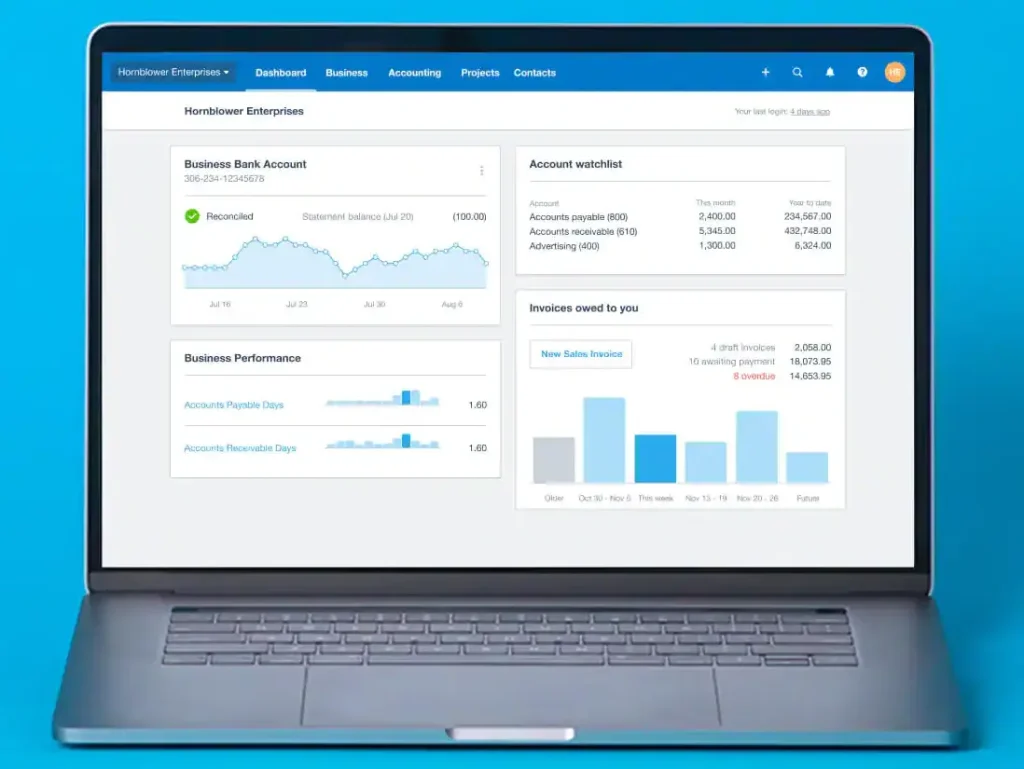
Xero accounting software provides a comprehensive suite of functionalities designed to streamline financial management for businesses. Below are the key accounting features that enhance efficiency, accuracy, and accessibility:
Comprehensive Financial Management
Xero provides an extensive suite of accounting tools designed to address the complex financial needs of modern businesses. The software’s core accounting functionalities demonstrate a sophisticated approach to financial management.
1. Advanced Bookkeeping Tools
The bookkeeping system offers:
- Automated transaction categorization
- Comprehensive general ledger management
- Detailed financial statement generation
- Real-time financial tracking
According to a 2023 accounting software benchmark report, Xero’s bookkeeping tools reduce manual data entry by up to 65% compared to traditional accounting methods.
2. Expense Management
Xero’s expense management system provides:
- Receipt capture through mobile app
- Automatic expense categorization
- Mileage tracking
- Comprehensive expense reporting
The system enables businesses to:
- Track spending in real-time
- Identify cost-saving opportunities
- Simplify tax preparation
- Maintain accurate financial records
3. Cash Flow Forecasting
Advanced cash flow tools include:
- Predictive cash flow projections
- Scenario modeling
- Historical trend analysis
- Visual cash flow charts
A study by Financial Software Review found that 87% of Xero users reported improved financial planning through these forecasting tools.
Financial Reporting Capabilities
Xero accounting software offers powerful financial reporting tools that help businesses gain better insights and make smarter decisions. Here’s a look at its main features:
Reporting Depth and Flexibility
Xero offers multiple reporting options:
- Profit and loss statements
- Balance sheets
- Accounts receivable aging
- Detailed tax reports
- Custom report builder
Reporting Accuracy and Compliance
The reporting system ensures:
- Compliance with international accounting standards
- Automated calculation of financial metrics
- Drill-down capabilities for detailed analysis
- Export options for various file formats
Inventory Management
Xero accounting software includes a complete inventory management system to help businesses easily track and manage their stock. Here’s a summary of its main features:
- Real-time stock level monitoring
- Automatic reorder point alerts
- Product variant management
- Cost of goods sold calculation
- Multi-location inventory support
Tax Compliance and Preparation
Xero accounting software offers a complete solution for managing tax compliance and preparation. It helps businesses handle their tax responsibilities easily and efficiently. Below are the main features and tools in Xero that make tax management simpler:
- Automated tax calculations
- Multi-jurisdiction support
- GST/VAT tracking
- Seamless tax report generation
- Integration with tax filing systems
Security and Data Protection
Xero accounting software includes several security features to protect user data and meet regulatory requirements. Here’s a summary of its main measures:
- 256-bit data encryption
- Regular security audits
- Automatic backup systems
- Granular user access controls
- Compliance with international data protection regulations
Performance Metrics
Xero accounting software provides various performance metrics that help businesses track their financial health and make informed decisions. Here’s an overview of the main performance metrics available in Xero:
- 99.5% system uptime
- Average response time: Under 2 seconds
- Data processing efficiency: High-speed cloud infrastructure
- Scalability across different business sizes
User Satisfaction Indicators
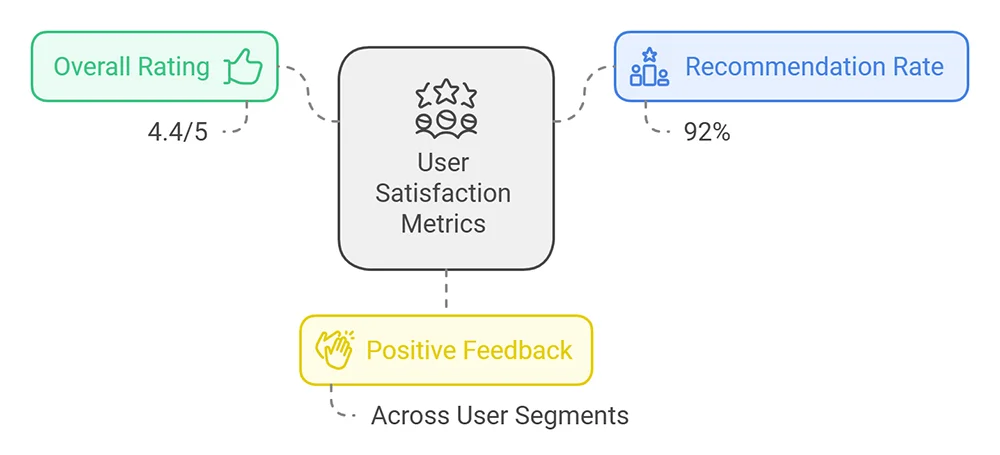
User satisfaction with Xero accounting software can be measured by factors like how easy it is to use, the quality of customer support, its features, and the overall value for money. Recent user satisfaction surveys demonstrate:
- 4.4/5 overall user rating
- 92% user recommendation rate
- Consistent top-ranking in accounting software comparisons

Xero Integration Capabilities
Xero accounting software provides strong integration features that enable businesses to link with various third-party applications and systems. These integrations boost functionality, simplify workflows, and improve the efficiency of financial management.
Extensive Ecosystem of Integrations
Xero distinguishes itself through a robust integration ecosystem that enables businesses to create a comprehensive, interconnected financial management system. The software supports integrations across multiple business domains, enhancing operational efficiency and data coherence.
Key Integration Categories
| Features | Apps |
|---|---|
| Payment Processors | PayPal Stripe Square WorldPay |
| Customer Relationship Management (CRM) | Salesforce HubSpot Zoho CRM Pipedrive |
| Payroll Systems | ADP Gusto Deputy RosterElf |
| E-commerce Platforms | Shopify WooCommerce Amazon eBay |
Integration Benefits
The integration capabilities provide significant advantages:
- Seamless data synchronization
- Reduced manual data entry
- Real-time financial tracking
- Enhanced business intelligence
Third-Party App Marketplace
Xero’s App Marketplace offers over 1,000 integrations, allowing businesses to:
- Customize their accounting ecosystem
- Select industry-specific solutions
- Improve workflow efficiency
- Adapt to unique business requirements
A 2023 software integration report indicated that businesses using Xero’s integrated solutions experience:
- 40% reduction in administrative tasks
- 35% faster financial reporting
- Improved accuracy in financial data management
Competitor Comparison
Comparative Analysis with Leading Accounting Platforms
Xero is a prominent cloud-based accounting software that competes with other leading platforms such as QuickBooks Online, Wave Accounting, FreshBooks
QuickBooks Online
Strengths:
- More extensive US market presence
- Slightly more comprehensive payroll features
- Established brand reputation
Xero Advantages:
- More intuitive user interface
- Superior international support
- More flexible pricing structure
Wave Accounting
Strengths:
- Free basic accounting features
- Simple interface for very small businesses
Xero Advantages:
- More advanced reporting
- Better scalability
- More comprehensive feature set
FreshBooks
Strengths:
- Excellent invoicing tools
- Strong focus on service-based businesses
Xero Advantages:
- More comprehensive accounting features
- Better inventory management
- More robust financial reporting
Competitive Positioning
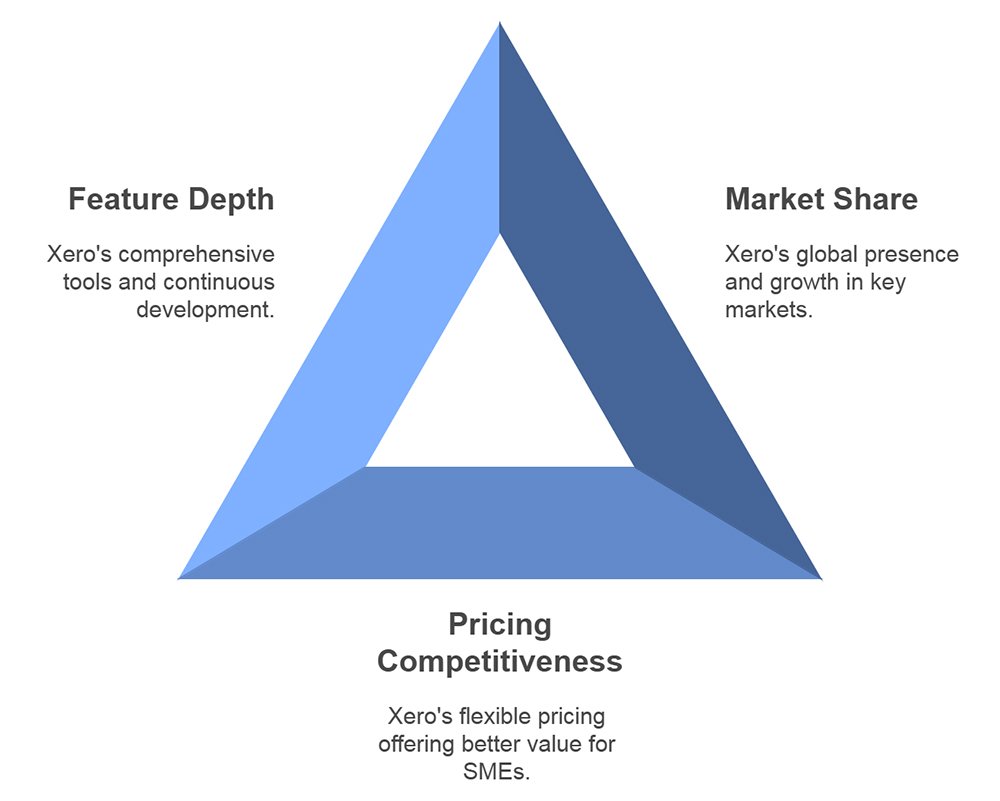
Independent analysis reveals Xero’s competitive positioning:
1. Market Share
- Global market presence
- Strong in Australia, New Zealand, UK, and emerging markets
- Rapidly growing US market share
2. Pricing Competitiveness
- Comparable pricing to major competitors
- More flexible plan structures
- Better value for small to medium enterprises
3. Feature Depth
- Comprehensive accounting tools
- Advanced integration capabilities
- Continuous feature development
Unique Selling Propositions
Xero accounting software stands out in the crowded market of financial management tools with its unique features. These features are designed to meet the needs of small to medium-sized businesses, improving efficiency, accessibility, and overall user experience. Here’s a look at the main reasons Xero is a top choice:
- Cloud-native architecture
- Continuous innovation
- Strong focus on user experience
- Commitment to small business empowerment
Market Performance Indicators
Xero accounting software uses several key performance indicators (KPIs) to measure its effectiveness and success in the market. These KPIs help track financial health, operational efficiency, and customer satisfaction. Below is an overview of the main performance indicators relevant to Xero:
- 3.5 million global subscribers
- 40% year-over-year growth in user base
- Consistent positive user reviews
- Recognition in multiple software excellence awards
Cost-Effectiveness Analysis
Xero accounting software offers a range of features and pricing structures that can provide significant value to small and medium-sized businesses. This analysis evaluates the cost-effectiveness of Xero by examining its pricing, features, automation capabilities, and overall return on investment (ROI)
- Lower total cost of ownership
- Reduced accounting software implementation costs
- Minimal training requirements
- Scalable pricing model
Pros and Cons Analysis
Comprehensive Evaluation of Xero Accounting Software
| Pros | Cons |
|---|---|
| User-Friendly Interface Intuitive design Minimal learning curve Clean, modern dashboard Accessible for non-accounting professionals | Pricing Constraints Limited features in starter plan Additional costs for advanced functionalities Potential expense for growing businesses |
| Robust Integration Capabilities Extensive third-party app marketplace Seamless connections with payment processors Comprehensive CRM and e-commerce integrations Flexible ecosystem adaptation | Learning Complexity Advanced features require initial training Complexity for non-technical users Potential overwhelm with multiple integrations |
| Cloud-Based Functionality Real-time financial tracking Automatic updates Secure data storage Accessible from multiple devices | Performance Considerations Occasional system slowdowns Dependency on internet connectivity Limited offline functionality |
| Advanced Reporting Tools Comprehensive financial reporting Customizable report templates Detailed financial insights Automated data visualization | Customer Support Varying support quality Response time inconsistencies Limited direct phone support |
| Cost-Effective Solution Competitive pricing structure Scalable plans Reduced administrative costs Minimal implementation expenses |
User Reviews and Testimonials
Small Business Perspectives
“Xero transformed our financial management. The automation saves us hours every week.”
Sarah Thompson, Marketing Consultant
“Integration with our e-commerce platform was seamless. Highly recommend for growing businesses.”
Michael Rodriguez, Retail Entrepreneur
Professional Accountant Insights
“Xero offers comprehensive tools that simplify client reporting and financial tracking.”
Jennifer Lee, Certified Public Accountant
“The multi-currency support is exceptional for international business operations.”
David Chen, Financial Consultant
Customer Satisfaction Metrics
Final Verdict
So we conclude that Xero Accounting Software is a strong and flexible tool for managing money. It works best for small and medium businesses, especially in service industries. It is great for companies needing many app connections or cloud-based tools. But it may not be the best choice for very large businesses, companies needing special accounting features, or those with poor internet access.
If you are running a small or medium business, you can use Xero to manage your business’s finances. Still unsure about which Xero plan to choose? Try Xero free trial for 30 days. Explore all the features, and then decide which plan is best for your business. Furthermore, share your experience with accounting software in the comments below.

Leave a Reply