


Wave offers free accounting tools, while QuickBooks provides comprehensive paid accounting solutions. Both cater to small businesses but differ in features and pricing.
Wave and QuickBooks are popular accounting software options for small businesses. Wave is known for its free services, making it an attractive choice for startups and small businesses with tight budgets. QuickBooks, on the other hand, offers a range of paid plans tailored to various business needs, from basic bookkeeping to advanced financial management.
Both platforms provide essential accounting features, such as invoicing, expense tracking, and financial reporting. Choosing between Wave and QuickBooks depends on your specific business requirements, budget, and the complexity of your accounting needs. Make an informed decision to ensure efficient financial management for your business.
Features: Wave vs QuickBooks

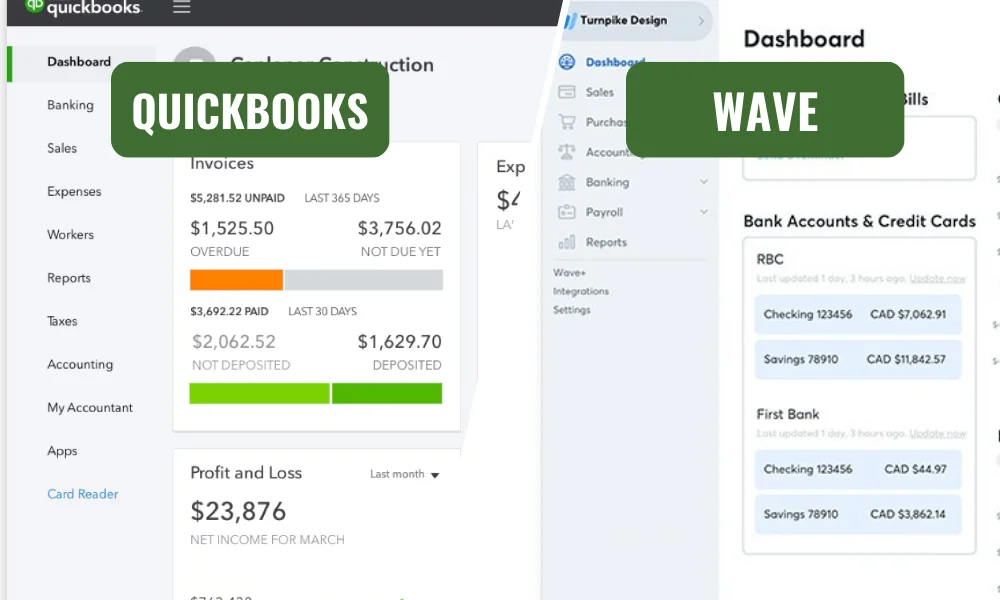
Comparing Wave and Quickbooks can help you choose the best tool for your business. Both software options offer various features. Understanding these features can aid in making an informed decision. Here, we explore invoicing and billing, expense tracking, and bank reconciliation. These aspects are crucial for effective financial management.
Invoicing and Billing
Wave offers free invoicing and billing features. You can create and send invoices easily. The software allows customizing invoices with your brand logo and colors. Wave also supports recurring invoices and automatic payment reminders. Tracking unpaid invoices is straightforward.
Quickbooks provides more advanced invoicing options. You can create and send invoices quickly. Quickbooks also allows automatic syncing with your bank accounts. This helps in tracking payments and expenses. It supports multiple currencies and integrates with various payment gateways.
| Features | Wave | Quickbooks |
|---|---|---|
| Customizable Invoices | Yes | Yes |
| Recurring Invoices | Yes | Yes |
| Automatic Payment Reminders | Yes | Yes |
| Multiple Currencies | No | Yes |
Expense Tracking
Wave provides free basic expense tracking features. You can categorize expenses and attach receipts. The software helps monitor spending and manage cash flow. Wave also offers easy-to-understand reports on expenses.
Quickbooks offers more advanced expense tracking. You can connect your bank accounts and credit cards. This allows the automatic import of transactions. Quickbooks help categorize expenses and track mileage. The software also provides detailed expense reports.
- Wave: Basic expense tracking, free, attach receipts, monitor spending
- Quickbooks: Advanced tracking, connecting bank accounts, categorizing expenses, mileage tracking
Bank Reconciliation
Wave makes bank reconciliation simple and free. You can connect your bank accounts easily. The software imports bank transactions automatically. Matching transactions with your records is straightforward. Wave helps in keeping your accounts accurate and up-to-date.
Quickbooks offers more comprehensive bank reconciliation features. You can connect multiple bank accounts and credit cards. The software imports transactions and categorizes them. Quickbooks also provides detailed reconciliation reports. This ensures your financial records are always accurate.
- Wave: Simple reconciliation, free, automatic transaction import, accurate accounts
- Quickbooks: Comprehensive features, multiple accounts, detailed reports, accurate records
QuickBooks Online Review: Features, Pricing & Expert Insights
User-Friendliness
Choosing between Wave and QuickBooks for your accounting needs can be tough. Both are popular, but they differ in many ways. This blog will focus on their user-friendliness. We will examine the interface, navigation, and ease of use. By the end, you will know which one suits your needs best.
Interface and Navigation
Wave and QuickBooks offer different interfaces. Wave has a simple design. It’s easy to find what you need. The dashboard is clean and uncluttered. You see your balances and recent transactions at a glance.
QuickBooks has a more detailed interface. It offers many features. This can make it seem complex. The dashboard shows many metrics. This can be useful for advanced users.
Here’s a comparison table:
| Feature | Wave | QuickBooks |
|---|---|---|
| Design | Simple | Detailed |
| Dashboard | Clean | Feature-rich |
| Metrics Display | Basic | Advanced |
Wave is great for beginners. It keeps things simple. QuickBooks is better for advanced users. It offers more detail. This can be overwhelming for some.
Ease of Use
Wave is very easy to use. It doesn’t take long to learn. The menus are simple. You can find everything quickly. This makes it great for small businesses.
QuickBooks is more complex. It has many features. This can be not very clear. It takes time to learn. It’s better for larger businesses with more needs.
Here are some points to consider:
- Wave’s setup is quick. You can start using it in minutes.
- QuickBooks takes longer to set up. It has more options to configure.
- Wave has fewer features. This makes it easier to use.
- QuickBooks has many features. This makes it powerful but complex.
Wave is best for those who need simplicity. QuickBooks is best for those who need more features. Both have their strengths. Choose based on your needs.
Integration and Compatibility
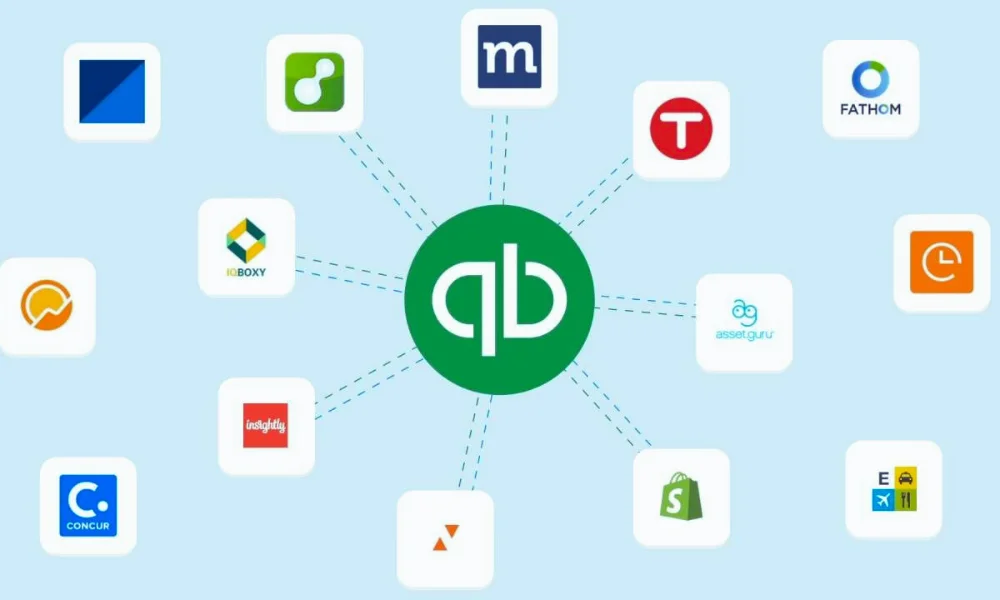
Choosing the right accounting software is crucial for businesses. Wave and Quickbooks are popular options. Both offer unique features and benefits. Understanding their integration and compatibility can help you decide which is better for your needs.
Third-party Apps Integration
Wave and Quickbooks both support third-party app integration. This feature is essential for extending their functionalities. Wave integrates with several popular apps. These include PayPal, Etsy, and Shoeboxed. Quickbooks offers a more extensive list of third-party integrations. This includes CRM systems, payment gateways, and e-commerce platforms.
Quickbooks also has a dedicated app store. Here, users can find various apps to enhance their accounting experience. Wave lacks a dedicated app store but still supports many popular apps. This can be a limitation for users needing specific integrations.
Here’s a comparison table of some popular app integrations:
| App | Wave | Quickbooks |
|---|---|---|
| PayPal | Yes | Yes |
| Etsy | Yes | No |
| Shopify | No | Yes |
| Stripe | Yes | Yes |
Compatibility with Other Software
Compatibility with other software is vital for seamless business operations. Wave offers basic compatibility with other software. It supports CSV file imports for bank transactions. This allows users to import data from various sources. However, it lacks advanced compatibility features.
Quickbooks excels in compatibility. It integrates with Microsoft Office, Google Workspace, and more. This makes it easier to manage all business tasks from one place. Users can sync their data across platforms.
Here are some key compatibility features of both Wave and Quickbooks:
- Wave: Basic CSV imports, PayPal integration
- Quickbooks: Microsoft Office integration, Google Workspace integration, CRM systems compatibility
Choosing between Wave and Quickbooks depends on your business needs. If you need extensive compatibility, Quickbooks might be the better choice. For basic needs, Wave is a reliable option.
Wave Accounting Reviews: Features, Pricing, Pros & Cons
Customer Support
Choosing the right accounting software can be challenging. Wave and QuickBooks are two popular options. Customer support is a crucial factor to consider. This article will compare customer support between Wave and QuickBooks.
Support Channels
Both Wave and QuickBooks offer various support channels to assist users.
Wave provides:
- Email Support
- Live Chat
- Help Center with Articles and FAQs
QuickBooks offers more options:
- Phone Support
- Email Support
- Live Chat
- Community Forum
- Help Center with Tutorials and Articles
QuickBooks has a wider range of support channels compared to Wave. This can be important if you prefer phone support.
Response Time and Quality
The response time and quality of support are important factors in customer satisfaction.
Wave’s Response Time:
- Email: 24-48 hours
- Live Chat: Immediate or within a few minutes
QuickBooks’ Response Time:
- Phone: Immediate or within a few minutes
- Email: 24 hours
- Live Chat: Immediate or within a few minutes
The quality of support is often praised for both platforms. Wave’s email support may sometimes take longer. QuickBooks’ phone support offers instant help. This can make a big difference when you need quick answers.
Pricing
Choosing the right accounting software is crucial for small businesses. Two popular options are Wave and QuickBooks. This blog post will help you understand their pricing structures and the value they offer for your money.
Cost Structure
Wave and QuickBooks offer different pricing models. Understanding these can help you decide which fits your budget.
Wave is free to use for its core features. This includes invoicing, accounting, and receipt scanning. Additional services like payroll and payment processing incur fees. Here is a breakdown:
- Payroll: Starts at $20 per month plus $6 per employee.
- Payment Processing: 2.9% + 30¢ per credit card transaction.
QuickBooks offers several pricing plans. Each plan includes more features than the last. Here is a table summarizing QuickBooks’ pricing:
| Plan | Price per Month | Features |
|---|---|---|
| Simple Start | $19 | Basic accounting, invoicing, and expense tracking. |
| Essentials | $28 | Includes bill management and time tracking. |
| Plus | $40 | Project tracking and inventory management. |
Value for Money
Wave is a great option for small businesses with tight budgets. Its core features are free, making it accessible to many. The additional costs for payroll and payment processing are clear and straightforward.
QuickBooks offers more advanced features but comes at a higher price. The various plans allow businesses to choose what fits their needs. Simple Start is good for basic accounting. Essentials and Plus offer more comprehensive tools for growing businesses.
Wave’s free model provides excellent value for basic needs. QuickBooks’ higher cost is justified by its extensive features and scalability. Businesses must weigh their needs and budget to choose the right software.
50% off for 3 months
QuickBooks Online, Payroll, and Time all come with a discount of 50% off for 3 months.
Security
Choosing the right accounting software can be tough. Wave and QuickBooks are two popular options. Each has its own strengths. This blog post compares their security features, focusing on data protection measures and privacy policies.
Data Protection Measures
Both Wave and QuickBooks take data protection seriously. They use encryption to keep your data safe. Encryption ensures that your information is unreadable to unauthorized users.
Wave uses 256-bit SSL encryption. This is the same level of security used by banks. QuickBooks also uses SSL encryption but adds an extra layer of protection with two-factor authentication (2FA). This means you need to verify your identity in two ways before accessing your account.
Wave and QuickBooks also have strong backup systems. These systems keep your data safe from loss. Here’s a quick comparison of their backup features:
| Feature | Wave | QuickBooks |
|---|---|---|
| Encryption Level | 256-bit SSL | 256-bit SSL + 2FA |
| Data Backup | Automatic Daily Backup | Automatic Daily Backup |
Both platforms also conduct regular security audits. These audits help to find and fix any vulnerabilities. Your data is always protected with these checks in place.
Privacy Policies
Wave and QuickBooks have clear privacy policies. These policies tell you how they handle your data. Wave states that they never sell your data. They use it only to provide and improve their services.
QuickBooks also promises not to sell your data. They may share it with third parties, but only to provide better services. Both companies comply with GDPR and other data protection laws. This ensures that your data is handled ethically.
Here are some key points from their privacy policies:
- Wave: Does not sell your data. Uses data only for service improvement.
- QuickBooks: Does not sell your data. May share with third parties for better services.
- Both: Comply with GDPR and other data protection laws.
Wave and QuickBooks respect your privacy. They are committed to protecting your personal information. You can trust both platforms to keep your data safe.
Frequently Asked Questions
What is the main difference between Wave and QuickBooks?
Wave is free, while QuickBooks is paid. Wave is great for small businesses on a budget, but QuickBooks offers more features.
Wave vs QuickBooks Which is better?
It depends on your needs. Wave is good for simple accounting. QuickBooks is better if you need advanced tools like payroll and inventory tracking.
Does Wave have invoicing and expense tracking?
Yes, Wave has free tools for invoicing and tracking expenses. It’s perfect for startups and freelancers.
Why do business choose QuickBooks?
QuickBooks has many features like tax filing, payroll, and detailed financial reports. It’s good for businesses with complex needs.
Can I switch from Wave to QuickBooks later?
Yes, you can switch anytime. Both platforms let you export and import data.
Is Wave good for freelancers or startups?
Yes, Wave is perfect for freelancers and startups. It offers free tools to manage basic accounting.
Bottom Line
In this article, a comprehensive comparison of Wave vs QuickBooks is discussed. The right choice depends on your business size, needs, and budget. Wave is ideal for small businesses or freelancers looking for simple, free accounting tools. On the other hand, QuickBooks is perfect for those who need advanced features, scalability, and detailed financial management.
Evaluate your requirements carefully to decide which platform fits your goals. Both Wave and QuickBooks are reliable options that can help you manage your finances effectively. Choose the one that aligns with your business needs and supports your growth.